Astraeus#
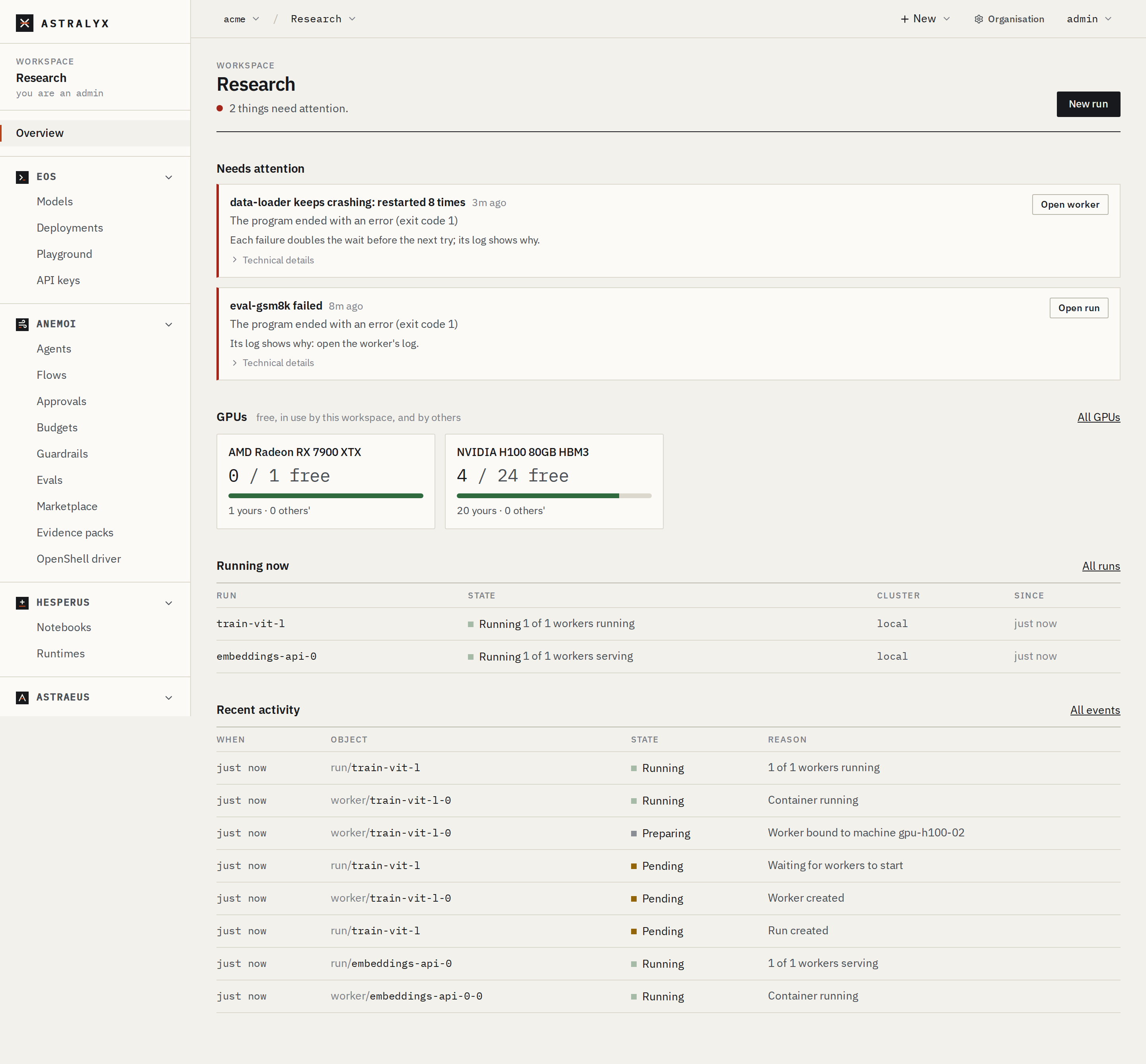
Astraeus runs GPU and HPC work — training, fine-tuning, batch inference, simulations, data processing — in containers on machines you already have: a rack of GPU servers, a cloud reservation, a workstation. You add a machine with one command. You say what a run needs. Astraeus places it on hardware that fits, keeps it running, and tells you why when it cannot.
Who it is for#
- ML and research teams that want to submit a training run by image and GPU count, without learning a cluster manager.
- HPC and platform engineers who run shared GPU fleets and need queues, quotas, fair share, preemption, gang scheduling and topology-aware placement — and Slurm's commands for the scripts people already have.
- Organisations with several teams sharing one pool of machines, each team confined to its own workspace.
- Teams with strict network and secret policies, who cannot open inbound ports on their machines or hand credentials to a third-party control plane.
The core ideas#
Machines dial out. Every agent on a machine opens its own HTTPS connections to Astraeus: to receive what the machine should do, and to report what happened. Nothing connects to a machine — not for logs, not for metrics, not to start work. A machine needs outbound HTTPS to the Astraeus address shown in the console and to the console itself, and UDP 51820 to the other machines when it joins the WireGuard mesh. See How it works.
You ask for GPUs, not machines. A run says "16 GPUs". Astraeus turns that into two machines of eight, four of four, or whatever fits best, on the tightest network that has room — one machine, one NVLink domain, one InfiniBand fabric, one rack, Ethernet last. You can also say exactly how many machines, which GPU model, and which network the workers must share. See Runs and workers.
Many teams, one cluster, confined. A workspace is a team's space. On each cluster it gets a quota, a fair-share weight, the pools of machines it may use and the highest priority it may ask for. Astraeus enforces that a workspace sees and changes only its own work. On a shared cluster, organisations never see each other's machines, work or data. See Organisations, workspaces and clusters.
No secrets in the control plane. A credential is a reference to your own secret store (HashiCorp Vault, AWS, Google Cloud, Azure and others). The machine that runs the worker fetches the value with its own identity; the value never reaches Astralyx. See Credentials.
Your data stays on your machines. Drives name data where it already is. Logs are read from the machine on request, over the machine's own connection. See Drives and data.
Astraeus Cloud or a dedicated cluster#
A cluster is the part of the Astralyx control plane that runs your work, together with the machines enrolled in it. Astralyx operates every cluster; you bring the machines. There are two kinds:
| Astraeus Cloud | A dedicated cluster | |
|---|---|---|
| Control plane | Operated by Astralyx, shared by organisations | Operated by Astralyx, for your organisation only |
| Machines | Yours, enrolled as your organisation's own: nobody else's work runs on them | Yours |
| Setup | None: add a machine in the console | Ask Astralyx at [email protected]; the cluster then appears in your organisation |
| Isolation | Your machines, workspaces, mesh and names belong to your organisation; Astraeus enforces it | The whole cluster is your organisation's |
| Machines per organisation | 10 by default; Astralyx can raise it | Agreed with Astralyx |
An organisation with no dedicated cluster joins Astraeus Cloud when it adds its first machine. See Organisations, workspaces and clusters.
The documentation#
-
Get started
Sign up, add a machine and start a first run.
-
Concepts
What each object is for, and when to use it.
Organisations · Machines · Runs · The queue · Data · Credentials · Networking
-
Machines
Requirements, installation, GPUs, firewalls, pools, upgrades and removal.
-
Runs
Submit work, place it, run it across machines, and watch it.
Submit a run · Placement · Multi-machine runs · Logs and metrics
-
Data and services
Drives, data sources, credentials, endpoints and scale to zero.
-
Administration and security
Members and roles, quotas, usage and cost, alerts, and what Astralyx can and cannot see.
Access · Quotas · Security model · What leaves your machines
-
Reference
Every field, state, flag, route, role, error and limit.
Run specification · States · CLI · REST API · Glossary
-
Troubleshooting
A run stuck pending, a machine down, a GPU missing, an image that will not pull.
Where to go next#
- Read How it works for what runs where.
- Follow the Quick start to run something on one of your machines.
- Install
astrato work from your terminal.