Replica groups and scale to zero#
A replica group keeps a number of identical runs of a service alive: it replaces runs that end, adds and removes runs as load changes, replaces them one by one when you change the template, and can scale to zero when idle and wake on the first request.
Use a replica group to:
- serve a model or an API from several replicas behind one address;
- scale a GPU service with its queue length or request rate, between a minimum and a maximum;
- release GPUs when a service is idle, and start it again when a request arrives.
In the API, a replica group is a scalinggroup (/v1/replica-groups, also /v1/scaling-groups). Each member is a run named <group>-<index>. Eos model deployments use replica groups; a group a deployment manages is changed through the deployment.
How it works#
Every 5 seconds Astraeus checks each group:
- Members. Members that ended (
Completed,FailedorCancelled) are deleted and replaced. A member is ready when its run isRunning. - Signals. It collects the members' metrics reported in the last 60 seconds.
- Decision. It computes the number of replicas wanted (
desired), with the reason, as described in Autoscaling. - Convergence. It creates members up to
desired, or removes the extra ones: members made from an older template first, then the highest indexes. Withdrain_seconds, a removed member keeps serving until its drain ends. - Load balancer. With
load_balancer.enabled, it keeps a balanced endpoint named like the group, selecting its members.
Before you begin#
- You need the admin or editor role in the workspace.
- To scale on a metric, the members must serve Prometheus metrics, declared with
metrics_endpointon the worker template. - To scale to zero and wake on traffic from outside the cluster, you need an ingress machine.
- For the API examples, set
TOKENandAPIas described in Drives.
No CLI commands for replica groups
The astra CLI has no replica group commands. Use the console or the API.
Create a replica group#
The example serves a model with vLLM: between 0 and 4 replicas of one GPU each, five waiting requests per replica as the target, scaled to zero after 10 idle minutes.
{
  "metadata": {"name": "llm"},
  "spec": {
    "template": {
      "policy": "Independent",
      "lifetime": "Service",
      "task_template": {
        "image": "vllm/vllm-openai:v0.6.3",
        "args": ["--model", "Qwen/Qwen2.5-7B-Instruct", "--port", "8000"],
        "requested_resources": {"cpu_cores": 8, "memory_bytes": 68719476736, "gpu_requests": {"count": 1}},
        "health_check": {"type": "HTTP", "path": "/health", "port": 8000, "initial_delay_seconds": 60},
        "metrics_endpoint": {"port": 8000, "path": "/metrics", "interval_seconds": 15},
        "datavolume_refs": [{"name": "hf-cache", "mount_path": "/root/.cache/huggingface"}]
      }
    },
    "scaling": {
      "min": 0,
      "max": 4,
      "cooldown_seconds": 120,
      "target": {"metric_name": "vllm:num_requests_waiting", "target": 5, "aggregation": "avg"},
      "scale_to_zero": {"idle_grace_seconds": 600, "activation_replicas": 1}
    },
    "load_balancer": {
      "enabled": true,
      "protocol": "http",
      "target_port": 8000,
      "health_check_path": "/health",
      "drain_seconds": 30
    }
  }
}
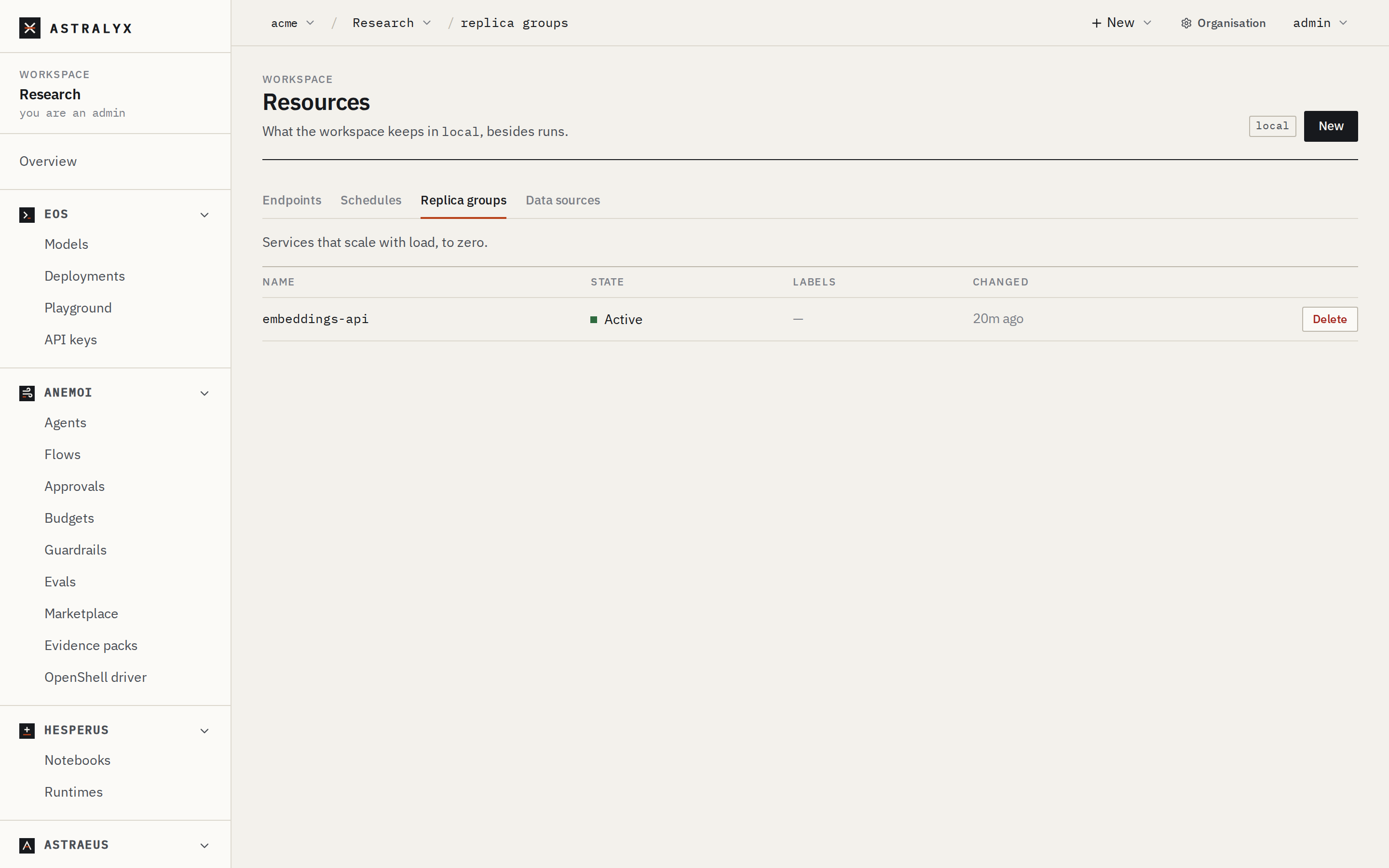
- Open Resources in the workspace, choose the cluster, and select the Replica groups tab.
- Click New. A JSON editor opens with a starting point.
- Paste the group (the content of
llm-group.json) and click Create. - The group appears in the list with its State (
Active). Its members appear under Runs asllm-0,llm-1…
Then follow it:
{
  "status": {"state": "Active", "reason": "Created"},
  "runtime": {
    "desired": 2,
    "current": 2,
    "ready": 2,
    "observed_metric": 6.5,
    "reason": "6.50 per replica against a target of 5",
    "members": [
      {"job_name": "llm-0", "index": 0, "state": "Running", "ready": true},
      {"job_name": "llm-1", "index": 1, "state": "Running", "ready": true}
    ]
  }
}
runtime.reason always says why desired is what it is.
Autoscaling#
Metrics from the members#
Each member's worker machine scrapes the metrics_endpoint of the worker (Prometheus text format) every interval_seconds (default 15, at least 5). For each metric name, the values of all its label sets are summed: queue{model="a"} 3 and queue{model="b"} 4 give queue = 7. These values are stored for the group at most every 10 seconds per worker and used while they are less than 60 seconds old.
aggregation combines the members' values: avg (default), sum, max or min.
Target tracking#
With scaling.target, the group follows the Kubernetes HPA algorithm:
- The value per replica is the aggregated value, or with
aggregation: sum, the sum divided by the number of ready members. - If it is within 10 % of
target, nothing changes. - Otherwise,
desired = ceil(ready × value per replica / target), then clamped to[min, max]. - Without a fresh value, the group holds its size (
no fresh metric; holding).
With 2 ready replicas averaging 6.5 waiting requests and a target of 5: ceil(2 × 6.5 / 5) = 3.
Threshold rules#
Without target, scale_up_rules and scale_down_rules add or remove one replica per pass:
"scaling": {
  "min": 1, "max": 8,
  "scale_up_rules":   [{"metric_name": "queue_depth", "operator": ">", "threshold": 100, "aggregation": "sum"}],
  "scale_down_rules": [{"metric_name": "queue_depth", "operator": "<", "threshold": 10,  "aggregation": "sum"}]
}
If any scale-up rule matches, the group adds one replica. Otherwise, if any scale-down rule matches, it removes one. operator is >, >=, <, <= or ==. When target is set, rules are ignored.
Stabilisation#
- No growth while warming up. The group does not grow while some members are not ready yet (
holding at 2: 1 of 3 replicas still warming up). - Cooldown on the way down. The group shrinks only when
cooldown_seconds(default 60) have passed since its size last changed (holding: within the scale-down cooldown).
Scale to zero#
A group with min: 0 can go to zero replicas when idle, and wake on demand.
When it is idle. A group is idle when:
- its metric (the target's, else the first scale-up rule's) is fresh and equals 0, or, if it has no fresh metric, it has a load balancer; and
- if it has a load balancer, no traffic reached it in the last 30 seconds.
A group with neither a metric nor a load balancer is never judged idle. After idle_grace_seconds (default 300) of continuous idleness, desired becomes 0 (idle for 300s: scaled to zero), and the group stays there (at zero until woken): with no members, nothing produces a signal.
How it wakes. One of:
- a connection to its load balancer on an ingress machine: Envoy hands it to the activator on that machine;
- a request through the cluster's API to its endpoint (
$API/endpoints/<group>/proxy/<path>), when the load balancer has aproxy; - an explicit call:
POST $API/replica-groups/<group>/activate.
A wake brings the group to activation_replicas (default 1) and holds it there for the idle grace (woken: held up for the activation window). After that, normal scaling applies.
sequenceDiagram
    participant C as Client
    participant E as Envoy (ingress machine)
    participant A as Activator
    participant CP as Astralyx control plane (SaaS)
    participant W as New member
    C->>E: connect :30080
    E->>A: no ready member: hand over the connection
    A->>CP: wake the group
    CP->>W: place llm-0 (the machine fetches it over its outbound connection)
    W-->>CP: Running, health check passes
    CP-->>A: endpoint has a ready backend
    A->>W: splice the held connection (bytes already read included)
    E->>W: later connections go straight to members
How long a request is held.
| Path | Held for | Then |
|---|---|---|
| Activator on an ingress machine | ASTRAEUS_ACTIVATOR_TIMEOUT, default 2 minutes |
HTTP and gRPC: 503 Service Unavailable with retry-after: 5. TCP: the connection is closed. |
The cluster's API (/endpoints/<name>/proxy/…) |
45 seconds | 503 NO_READY_BACKEND: the endpoint is waking up; retry shortly |
Size the hold against your cold start: pulling the image, loading weights from a drive and passing the health check. Keeping weights in a drive kept on each machine means a woken member does not download them again.
The ingress machines report which endpoints carried traffic every 10 seconds, from Envoy's own counters.
Update a replica group#
Replace the spec with PUT. The body carries the whole new spec:
$ jq '{spec: .spec}' llm-group.json > llm-update.json   # after editing the image, for example
$ curl -sS -X PUT "$API/replica-groups/llm" \
    -H "Authorization: Bearer $TOKEN" -H "Content-Type: application/json" \
    -d @llm-update.json
Changing scaling or load_balancer takes effect on the next pass. Changing the template starts a rolling update:
- Each member records a digest of the template it was made from. Members made from an older template are marked
outdated. - Old members that serve nothing are removed at once.
- Otherwise, the group adds one new member (a surge of one), waits until it serves (it is
Runningand, with a load balancer, is a ready backend: its health checks pass), then removes one old member. Capacity never drops belowdesired. - This repeats until no member is outdated.
With drain_seconds, a removed member keeps serving for that long before it is deleted. A draining member can be brought back if the group needs it again (never one made from an older template).
Pause, resume and delete#
| Action | API | Effect |
|---|---|---|
| Pause | POST $API/replica-groups/<name>/pause |
State Paused: Astraeus stops scaling and replacing the group's members. Members keep running as they are. |
| Resume | POST $API/replica-groups/<name>/resume |
State Active again. |
| Wake | POST $API/replica-groups/<name>/activate |
Brings a group with min: 0 to activation_replicas. Returns the runtime. |
| Delete | DELETE $API/replica-groups/<name> |
Deletes every member run, the group's endpoint and its signals. 204 No Content. |
In the console, Resources → Replica groups lists the groups with their state. Click a row to see the group and its runtime as JSON, or Delete to delete it. A group that a deployment manages shows managed by deployment and is changed through the deployment: direct changes are refused with 409 SCALING_GROUP_MANAGED (replica group llm is managed by deployment/llm; change deployment/llm instead).
Reference#
spec.scaling#
| Field | Type | Default | Description |
|---|---|---|---|
min |
integer | required | Fewest replicas. 0 allows scaling to zero. |
max |
integer | required | Most replicas, 1–1000. At least min. |
cooldown_seconds |
integer | 60 |
Least time between a size change and a scale-down. |
target.metric_name |
string | The metric to track. | |
target.target |
number | The value per replica to hold. Must be positive. | |
target.aggregation |
avg | sum | max | min |
avg |
How the members' values combine. |
scale_up_rules[], scale_down_rules[] |
list | none | metric_name, operator (>, >=, <, <=, ==), threshold, aggregation (default avg). Used only without target. |
scale_to_zero.idle_grace_seconds |
integer | 300 |
Idle time before going to zero, and how long a wake holds the group up. |
scale_to_zero.activation_replicas |
integer | 1 |
Replicas a wake brings up. |
spec.load_balancer#
| Field | Type | Default | Description |
|---|---|---|---|
enabled |
boolean | false |
Keep a balanced endpoint named like the group, on the ingress machines. |
protocol |
tcp | http | grpc |
tcp |
How Envoy proxies it. |
target_port |
integer | required when enabled | The members' port. |
external_port |
integer | assigned | A fixed listen port in 30000–32767. |
health_check_path |
string | none | Envoy's active health check (http, grpc). |
drain_seconds |
integer | 0 |
How long a removed member keeps serving before it is deleted. |
proxy |
object | none | The HTTP allow-list for calls through the cluster's API. See Endpoints. |
spec.template#
A run specification: every member is a run made from it. See Run specification. Use "lifetime": "Service" so a member that exits is restarted in place. The group's own labels are copied to its members, and each member also carries scaling_group, scaling_group_index and scaling_group_template.
Runtime#
| Field | Description |
|---|---|
desired |
Replicas wanted. |
current |
Members not draining. |
ready |
Members serving. |
members[] |
job_name, index, state, ready, outdated, draining, drain_deadline. |
observed_metric |
The aggregated metric, when fresh. |
reason |
Why desired is what it is. |
last_scale_at |
When desired last changed. |
idle_since |
Since when the group has been idle. |
activated_until |
Until when a wake holds the group up. |
Troubleshooting#
| Symptom | Cause | Fix |
|---|---|---|
reason: no fresh metric; holding |
No member reported the metric in the last 60 s. | Check metrics_endpoint (port and path) and the metric's exact name in the members' /metrics. |
| The group never goes to zero | It has neither a metric nor a load balancer, the metric never reaches 0, or traffic keeps arriving. | Add a load balancer or a metric that is 0 when idle. |
A woken group answers 503 |
No member became ready within the hold. | Shorten the cold start (cache weights in a drive), raise ASTRAEUS_ACTIVATOR_TIMEOUT, or keep min: 1. |
| A rolling update does not progress | The new member never serves: its run is not Running or fails the health check. |
Look at the new member's run and its health check. |
400 INVALID_SCALING_GROUP |
For example spec.scaling.max must be between 1 and 1000, or a load balancer needs spec.load_balancer.target_port. |
Fix the field named. |