Install the CLI#
This page explains how to get astra, Astralyx's command line, sign it in
and choose where it works. Use it to script runs, to work from a terminal,
and to use Slurm's commands on Astraeus.
astra works across products: Astraeus runs, workers, logs, machines, GPUs,
usage and templates (astra astraeus …), Slurm's sbatch, srun,
squeue, scancel and sinfo (see Slurm compatibility),
and Eos inference (astra inference …). It talks to the console as you, so
everything it does is confined to your workspace and checked against your
role there.
Get astra#
How to get it
No prebuilt binary of astra is published yet. It is built from its
source with Rust 1.88 or newer (cargo install --path . in its source
tree).
Sign in#
astra login signs in through the console in your browser; no token file is
needed.
-
Run
astra login. It prints an address and a code: -
Open the address, signed in to the console. The Command-line sign-in page shows the code; check that it matches your terminal and choose Approve. Approve only a code you just requested: the session acts as you.
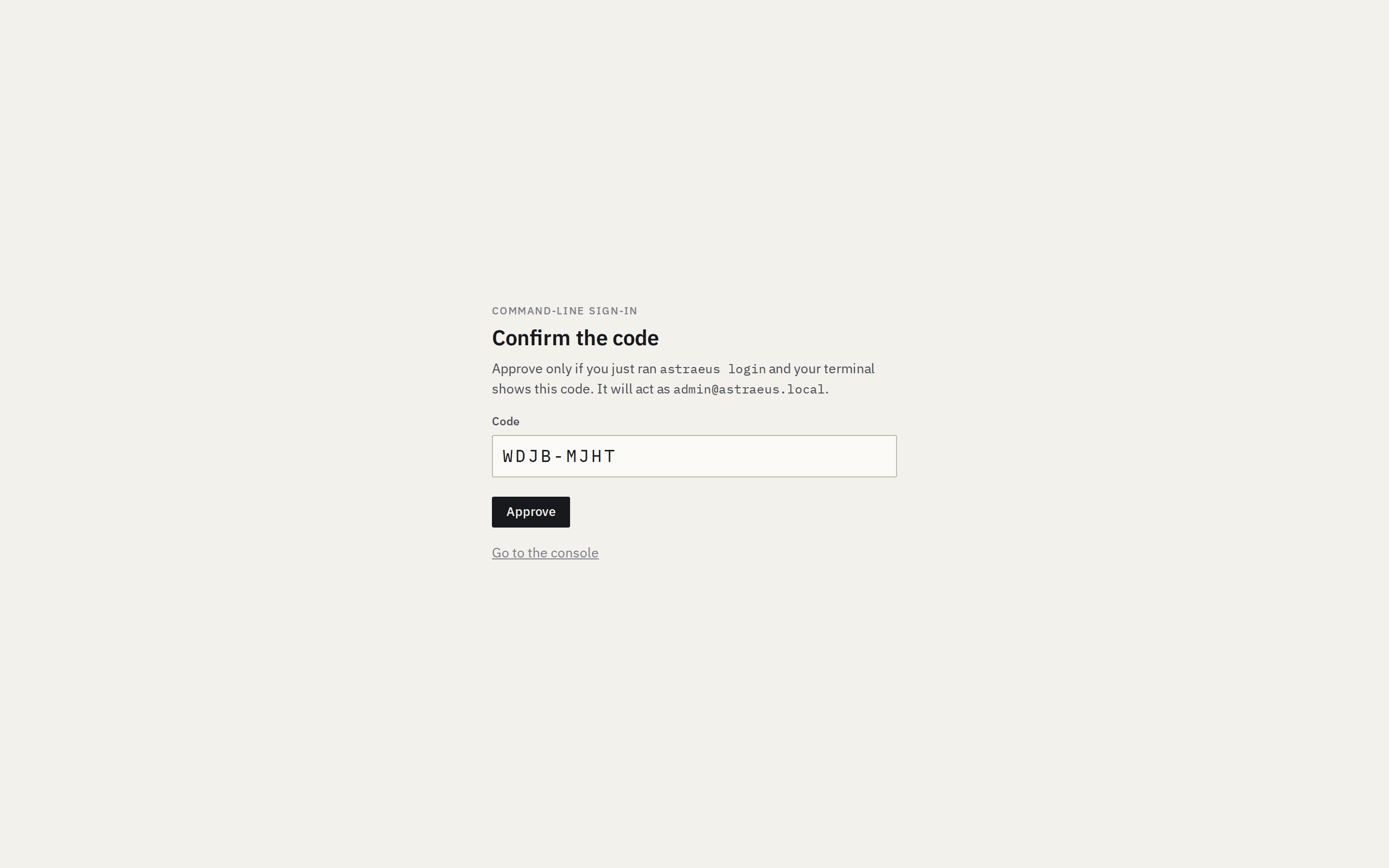
-
The terminal confirms:
Signed in as [email protected], working in my-org/default
The code expires after 10 minutes; astra checks every 5 seconds. The
session lasts 30 days. astra logout ends it.
Choose where you work#
On first sign-in, astra works in your first organisation's default
workspace. Choose another with astra use:
$ astra orgs
my-org  (My org)  default, research
$ astra use my-org/research            # or my-org/research@<cluster> to pin a cluster
Working in my-org/research
$ astra whoami
[email protected] at https://console.astralyx.cloud
working in my-org/research
Without a pinned cluster, astra uses the workspace's first cluster. The
workspace's Settings in the console lists the clusters it has access to.
Check it works#
A workspace with no cluster yet answers
astra: the workspace has no cluster yet: add a machine in the console (it connects the workspace).
Use a token in CI#
For scripts and CI, use a personal API token instead of signing in:
- In the console, open the account menu → Account & tokens. Under API tokens, choose New token.
- Enter What it's for (for example
ci) and Expires after (days) (90 by default; empty for never), then Create token. - Copy the token (it starts with
ast_pat_). It is shown once: Astralyx keeps only its hash. -
Give it to
astrain the environment, with the organisation and workspace:
A personal token acts as you everywhere you have access. Revoke it under API tokens with Revoke: it stops working at once.
Configuration#
| Setting | Default | Description |
|---|---|---|
| Configuration file | ~/.config/astra/config.json ($XDG_CONFIG_HOME/astra/config.json) |
The console address, the session token, the organisation, workspace and cluster. Readable by you only. |
ASTRA_URL |
https://console.astralyx.cloud |
The console. |
ASTRA_TOKEN |
— | A session or personal API token (ast_pat_…), instead of signing in — for CI. |
ASTRA_ORG, ASTRA_WORKSPACE |
— | The organisation and workspace. |
ASTRA_CLUSTER |
The workspace's first | The cluster runs go to. |
ASTRA_IMAGE |
— | The container image for astra astraeus run, sbatch and srun when none is given. |
Every command, flag and message is in the CLI reference.