Train on one GPU machine#
You train a ResNet-18 on CIFAR-10 on one GPU. The run downloads the dataset, trains for ten epochs, writes a checkpoint after each epoch and a final model to a drive, and stops. If the worker restarts, the script resumes from its last checkpoint. On a recent data-centre GPU the run takes about ten minutes.
What you need:
- A workspace with access to a cluster, and one machine with a GPU in it
(
astra astraeus machineslists it). - A data location chosen on that machine: the folder where drives kept on each machine store their copies. Open Machines → the machine; if Data location shows a suggestion, press Confirm.
- The editor role in the workspace, an API token,
curlandjq(How the recipes are written).
1. Write the training script#
The script reads where to write from OUT_DIR, names its folder after the
run, and resumes from ckpt.pt when one exists.
import json
import os
import time

import torch
import torch.nn as nn
import torchvision
import torchvision.transforms as T

OUT = os.environ.get("OUT_DIR", "/out")
EPOCHS = int(os.environ.get("EPOCHS", "10"))
BATCH = int(os.environ.get("BATCH_SIZE", "256"))
# ASTRAEUS_JOB_NAME is <namespace>.<run>; keep the run's own name.
RUN = os.environ.get("ASTRAEUS_JOB_NAME", "local").rsplit(".", 1)[-1]
run_dir = os.path.join(OUT, RUN)
os.makedirs(run_dir, exist_ok=True)

device = "cuda" if torch.cuda.is_available() else "cpu"
print(f"device: {torch.cuda.get_device_name(0) if device == 'cuda' else 'cpu'}", flush=True)

norm = T.Normalize((0.4914, 0.4822, 0.4465), (0.2470, 0.2435, 0.2616))
train_tf = T.Compose([T.RandomCrop(32, padding=4), T.RandomHorizontalFlip(), T.ToTensor(), norm])
test_tf = T.Compose([T.ToTensor(), norm])
data_dir = os.path.join(OUT, "data")  # downloaded once, kept on the drive
train_set = torchvision.datasets.CIFAR10(data_dir, train=True, download=True, transform=train_tf)
test_set = torchvision.datasets.CIFAR10(data_dir, train=False, download=True, transform=test_tf)
train_dl = torch.utils.data.DataLoader(train_set, BATCH, shuffle=True, num_workers=6, pin_memory=True, drop_last=True)
test_dl = torch.utils.data.DataLoader(test_set, 1024, num_workers=6, pin_memory=True)

model = torchvision.models.resnet18(num_classes=10)
model.conv1 = nn.Conv2d(3, 64, 3, 1, 1, bias=False)  # 32×32 inputs
model.maxpool = nn.Identity()
model = model.to(device, memory_format=torch.channels_last)

opt = torch.optim.SGD(model.parameters(), lr=0.1, momentum=0.9, weight_decay=5e-4, nesterov=True)
sched = torch.optim.lr_scheduler.OneCycleLR(opt, max_lr=0.2, epochs=EPOCHS, steps_per_epoch=len(train_dl))
scaler = torch.cuda.amp.GradScaler(enabled=device == "cuda")
loss_fn = nn.CrossEntropyLoss(label_smoothing=0.1)

start = 0
ckpt_path = os.path.join(run_dir, "ckpt.pt")
if os.path.exists(ckpt_path):
    ckpt = torch.load(ckpt_path, map_location=device)
    model.load_state_dict(ckpt["model"])
    opt.load_state_dict(ckpt["opt"])
    sched.load_state_dict(ckpt["sched"])
    start = ckpt["epoch"] + 1
    print(f"resuming from epoch {start + 1}", flush=True)

for epoch in range(start, EPOCHS):
    t0 = time.time()
    model.train()
    total = 0.0
    for x, y in train_dl:
        x = x.to(device, non_blocking=True, memory_format=torch.channels_last)
        y = y.to(device, non_blocking=True)
        with torch.autocast(device_type=device, dtype=torch.bfloat16, enabled=device == "cuda"):
            loss = loss_fn(model(x), y)
        opt.zero_grad(set_to_none=True)
        scaler.scale(loss).backward()
        scaler.step(opt)
        scaler.update()
        sched.step()
        total += loss.item()

    model.eval()
    correct = 0
    with torch.no_grad(), torch.autocast(device_type=device, dtype=torch.bfloat16, enabled=device == "cuda"):
        for x, y in test_dl:
            pred = model(x.to(device, memory_format=torch.channels_last)).argmax(1)
            correct += (pred.cpu() == y).sum().item()
    acc = correct / len(test_set)
    line = {"epoch": epoch + 1, "loss": round(total / len(train_dl), 4), "test_acc": round(acc, 4), "seconds": round(time.time() - t0, 1)}
    print(json.dumps(line), flush=True)
    with open(os.path.join(run_dir, "metrics.jsonl"), "a") as f:
        f.write(json.dumps(line) + "\n")

    # Write the checkpoint beside the old one, then rename: a worker stopped
    # mid-write never leaves a half-written ckpt.pt behind.
    tmp = ckpt_path + ".tmp"
    torch.save({"model": model.state_dict(), "opt": opt.state_dict(), "sched": sched.state_dict(), "epoch": epoch}, tmp)
    os.replace(tmp, ckpt_path)

torch.save(model.state_dict(), os.path.join(run_dir, "model.pt"))
print(f"done: test accuracy {acc:.4f}, model in {run_dir}/model.pt", flush=True)
2. Create a drive for the outputs#
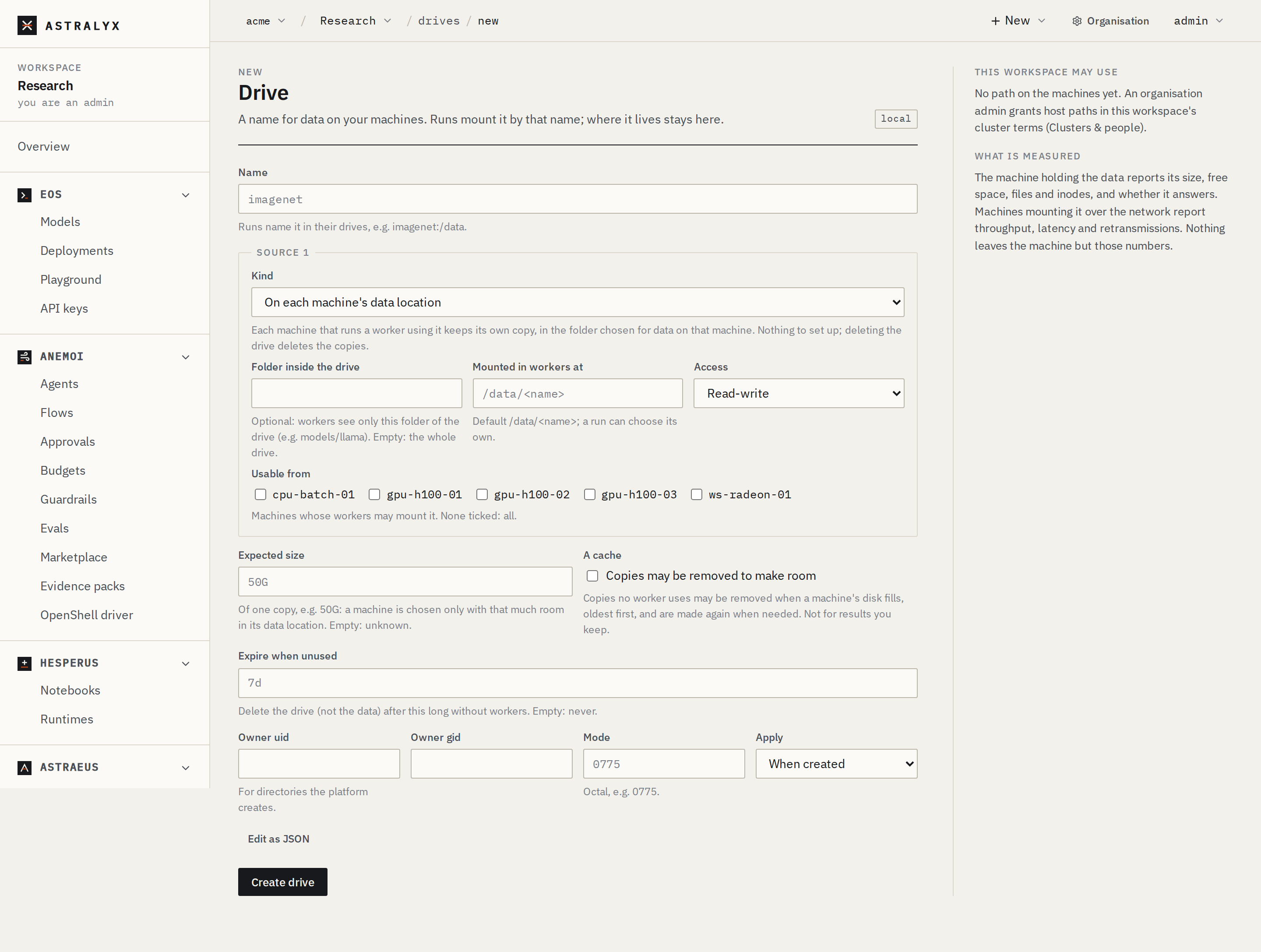
The drive cifar-runs is kept on each machine: the machine that runs the
worker keeps a copy in its data location, and nothing has to be set up
beforehand. Later runs that mount the drive prefer a machine that already
holds a copy.
- Open Drives → New drive.
- Name:
cifar-runs. - Kind: On each machine's data location. Leave Folder inside the drive empty.
- Mounted in workers at:
/out. Access: Read-write. - Press Create drive. The drive's page opens; Copies says No copies yet.
3. Write the run specification#
The script travels inside the run as a config file: a literal file the
machine writes and mounts read-only at /app/train.py. You keep the stock
PyTorch image and no registry is involved.
{
  "metadata": {"name": "train-cifar", "labels": {"project": "cifar"}},
  "spec": {
    "start": "Independent",
    "task_template": {
      "image": "pytorch/pytorch:2.4.1-cuda12.4-cudnn9-runtime",
      "command": "python",
      "args": ["/app/train.py"],
      "env": {"EPOCHS": "10", "BATCH_SIZE": "256", "OUT_DIR": "/out"},
      "restart_policy": "OnFailure",
      "time_limit_seconds": 3600,
      "requested_resources": {
        "cpu_cores": 8,
        "memory_bytes": 34359738368,
        "gpu_requests": {"count": 1},
        "node_selection": {"mode": "Any"}
      },
      "datavolume_refs": [
        {"name": "cifar-runs", "mount_path": "/out", "mode": "ReadWrite"}
      ],
      "configs": []
    }
  }
}
Put the script into configs with jq:
$ jq --rawfile src train.py \
    '.spec.task_template.configs = [{"mounts": ["/app/train.py"], "value": $src}]' \
    run.json > run.full.json
What each part does:
| Field | Why |
|---|---|
gpu_requests.count: 1 |
One GPU. The machine hands the worker that GPU only. |
cpu_cores: 8, memory_bytes: 34359738368 |
8 cores and 32 GiB, a hard limit. A GPU worker's /dev/shm is half its memory limit (16 GiB here), enough for 6 data-loader processes. |
restart_policy: OnFailure |
A worker that exits non-zero is started again, after a back-off of 10 s doubling up to 5 min, at most 10 times. The script resumes from ckpt.pt. |
time_limit_seconds: 3600 |
Stopped and failed after one hour. A run that states its time limit can also start sooner, in room the queue holds for a later run (backfill). |
datavolume_refs |
The drive at /out, writable. |
configs |
train.py at /app/train.py, read-only. |
4. Submit the run#
- Open Runs → New run (or New run on the workspace's overview).
- Press Edit as JSON (worker groups, drives, probes…).
- Replace the text with the contents of
run.full.jsonand press Start run. The run's page opens.
astra astraeus run has no flags for drives or config files, so submit
this run from the console or the API. The CLI follows it from there
(steps 5 and 6). For a quick test without them:
5. Follow it#
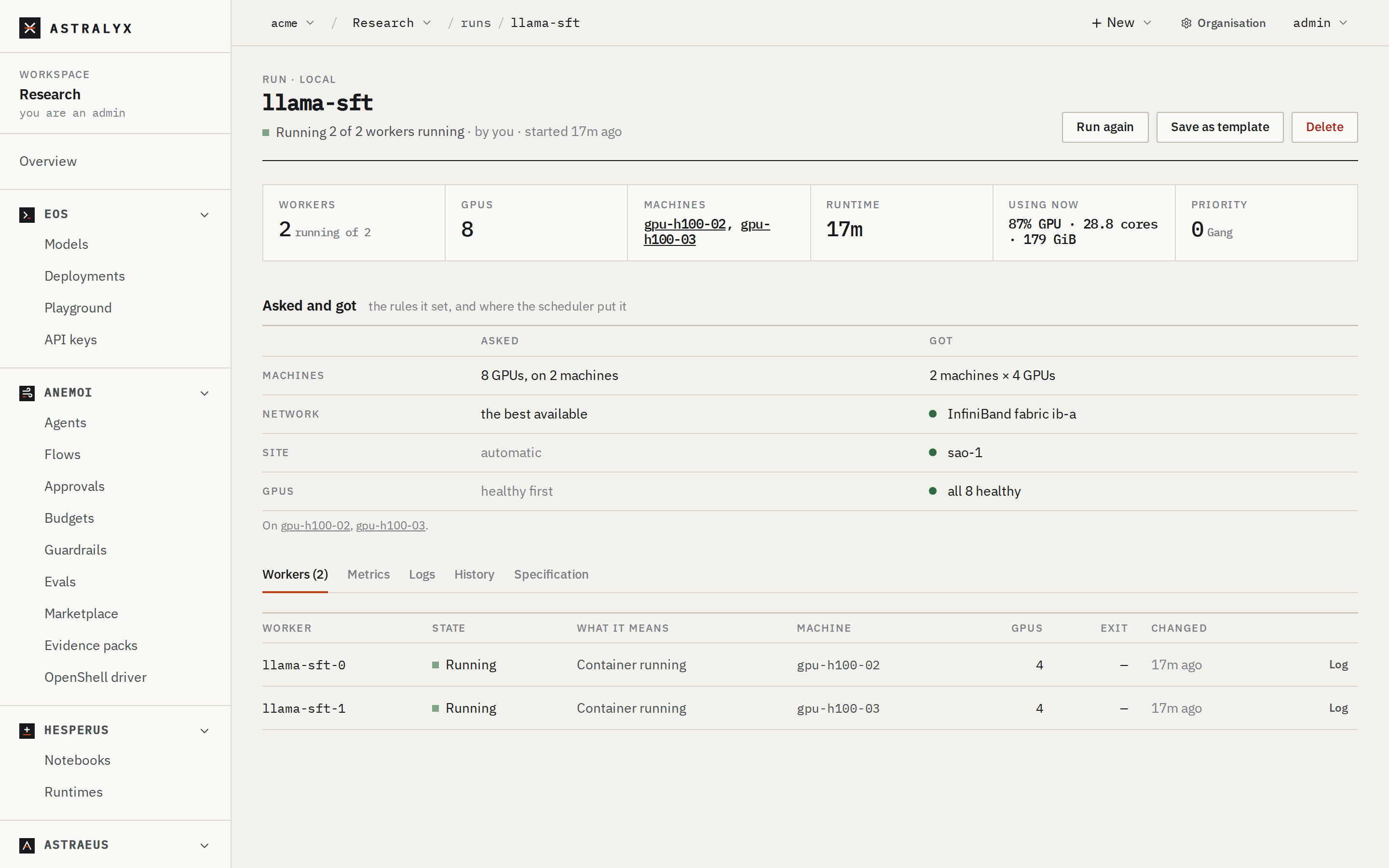
The run has one worker, train-cifar-0. It moves through Pending
(waiting for a GPU), the image pull, and Running.
The run's page shows where the worker went and why, its state, and the tabs Workers, Metrics, Logs, History and Specification. Metrics has the GPU's utilisation and memory. If the run waits, the page says what for.
$ astra astraeus runs
NAME                          CLUSTER       STATE       REASON
train-cifar                   main          Running     1 of 1 workers running
$ astra astraeus logs train-cifar-0 | tail -n 5
device: NVIDIA H100 80GB HBM3
{"epoch": 1, "loss": 1.6122, "test_acc": 0.5874, "seconds": 41.8}
{"epoch": 2, "loss": 1.2087, "test_acc": 0.7031, "seconds": 33.0}
{"epoch": 3, "loss": 1.0251, "test_acc": 0.7702, "seconds": 32.9}
{"epoch": 4, "loss": 0.9248, "test_acc": 0.8105, "seconds": 33.1}
$ astra astraeus gpus
gpu-01/0  NVIDIA H100 80GB HBM3  97%  Healthy  held by train-cifar
astra astraeus logs prints the log and returns; -f keeps printing
new lines until the worker ends.
$ curl -fsS "$API/runs/train-cifar" -H "Authorization: Bearer $ASTRAEUS_TOKEN" \
    | jq '{state: .status.state, reason: .status.reason}'
{
  "state": "Running",
  "reason": "1 of 1 workers running"
}
$ curl -fsS "$API/workers/train-cifar-0/logs?tail=3" -H "Authorization: Bearer $ASTRAEUS_TOKEN" | jq -r .logs
{"epoch": 7, "loss": 0.7934, "test_acc": 0.8861, "seconds": 33.0}
{"epoch": 8, "loss": 0.7472, "test_acc": 0.9087, "seconds": 33.1}
{"epoch": 9, "loss": 0.7108, "test_acc": 0.9243, "seconds": 32.9}
6. Check that it worked#
-
The run ends
Completedwith All workers completed: -
The last log line names the model:
-
On the drive's page, Copies lists the machine that ran the worker, the copy's folder (
<data location>/drives/<namespace>.cifar-runs) and its size. -
To read the results from a run, mount the drive read-only. Astraeus prefers the machine that holds the copy, so this run finds the files:
show.json{ "metadata": {"name": "show-cifar"}, "spec": { "task_template": { "image": "busybox:1.36", "command": "cat", "args": ["/out/train-cifar/metrics.jsonl"], "restart_policy": "Never", "requested_resources": {"cpu_cores": 1, "memory_bytes": 268435456, "node_selection": {"mode": "Any"}}, "datavolume_refs": [{"name": "cifar-runs", "mount_path": "/out", "mode": "ReadOnly"}] } } }$ curl -fsS -X POST "$API/runs" -H "Authorization: Bearer $ASTRAEUS_TOKEN" \ -H 'content-type: application/json' -d @show.json > /dev/null $ astra astraeus logs show-cifar-0 | tail -n 2 {"epoch": 9, "loss": 0.7108, "test_acc": 0.9243, "seconds": 32.9} {"epoch": 10, "loss": 0.6891, "test_acc": 0.9301, "seconds": 33.2}
Copies are per machine
A drive kept on each machine has one copy per machine that used it, and the copies are not synchronised. A run placed on another machine (the first one is full, say) starts from an empty copy there. To read results from any machine, use a drive on one machine or on a shared filesystem (Drives).
7. Clean up#
Deleting this drive deletes its data
A drive kept on each machine is the one kind of drive whose files Astraeus deletes: deleting it removes its copy on every machine, checkpoints and model included. Copy out what you want to keep first. A drive cannot be deleted while a live worker uses it.
Variations#
A specific GPU. Narrow the GPUs the run accepts; the run waits for one rather than taking another:
models match by substring, ignoring case, and any one of the list will do.
healthy_only refuses GPUs that show signs of a coming fault (growing
memory errors, a retrying PCIe link, heat). Set these in the
specification: astra astraeus run has no flags for them.
Your own image. For anything beyond one file, build an image with the
code and its dependencies and drop configs:
FROM pytorch/pytorch:2.4.1-cuda12.4-cudnn9-runtime
WORKDIR /app
COPY requirements.txt .
RUN pip install --no-cache-dir -r requirements.txt
COPY . .
ENTRYPOINT ["python", "/app/train.py"]
Set "image": "registry.example.com/ml/cifar:1" and "command": "". For a
private registry, add registry_secret_ref with a credential
(Credentials).
AMD GPUs. Use a ROCm build of PyTorch, such as rocm/pytorch, and
"gpu_requests": {"count": 1, "vendor": "amd"}. The script is unchanged:
PyTorch's ROCm build answers to cuda.
Run it again. On the run's page, Run again opens New run with this run's specification under a new name; Save as template keeps it for the workspace.
Troubleshooting#
| Symptom | Cause | Fix |
|---|---|---|
| The run waits with Choose where to keep data on gpu-01 | The machine has no data location. | On the machine's page, confirm a Data location. |
| The worker's page says No machine can take it right now | Every GPU in your workspace's pools is in use. | Wait, or open GPUs to see what holds them. The worker's page lists each machine and why it was not chosen. |
DataLoader worker (pid …) is killed by signal: Bus error |
/dev/shm too small for the loader. |
Raise memory_bytes (the shared memory is half of it, from 1 GiB to 64 GiB), or lower num_workers. |
The run ends Failed with Worker train-cifar-0: Exceeded its time limit of 1h |
It ran past time_limit_seconds. |
Raise the limit. A worker stopped at its time limit is not restarted. |