Data sources#
A data source registers a store your data already lives in — an S3, GCS, Azure Blob, OCI or MinIO bucket, an NFS export, or paths on your machines — so that Astraeus can index it where it is. One of your machines lists the files, groups them into partitions, reads Parquet footers and keeps the index on its own disk. You then browse files, partitions, schemas and column statistics through the API, and see what changed between two passes.
Use a data source to:
- Know what is in a bucket before you train on it: how many files and bytes, which partitions, which Parquet schemas, how many rows.
- See what changed since the last pass (files added, removed, changed).
- Profile columns of Parquet data (nulls, min/max/mean, distinct counts, frequent values, histograms) without moving the data.
In the API, a data source is a connector (/v1/data-sources, also /v1/connectors).
Runs do not mount data sources
A data source is indexed by a machine. It is not mounted into runs. To read the same bucket from a run, give the run a credential and use your usual client (for example aws s3, gsutil, fsspec). See Read the same store from a run. To mount files, use a drive.
How it works#
- You create the data source. Its state is
Unassigned. - The cluster assigns it to one machine that is
Upand may serve it: a machine of your organisation, in the workspace's pools, matching the data source'snode_selector. Among those, the machine that serves the fewest data sources wins. The state becomesAssigned(Served by machine gpu-03). - The agent's data part on that machine (
astraeus-agent-data, installed by default) reaches the store with the machine's own cloud identity, or with a credential that is fetched onto that machine. It checks the store every 5 minutes and reportsReady(Reachable from node gpu-03) orErrorwith the store's answer. - Every 5 minutes, or when you ask, the agent indexes the store: it lists the files (up to 200,000 per pass), fingerprints each one (key, size, modification time, ETag), groups them by directory (Hive
key=valuedirectories become partition values), and reads the footer of each new or changed Parquet file. - The index stays on the machine (under
/var/lib/astraeus/catalog). The Astralyx control plane keeps only a summary: totals, a hash over the partitions, and the counts of files added, removed and changed.
If the machine goes away, the data source is assigned to another eligible machine.
Supported kinds#
kind |
What | Indexed |
|---|---|---|
S3 |
An Amazon S3 bucket | Yes |
MinIO |
MinIO or any S3-compatible endpoint | Yes |
GCS |
A Google Cloud Storage bucket | Yes |
Azure |
An Azure Blob Storage container | Yes |
Oracle |
An OCI Object Storage bucket | Yes |
NFS |
An NFS export already mounted on the machines | Yes, from host_path only |
Local |
Directories on the machines | Yes |
Kafka, SQS, EventBridge |
Streams | No. They can be created and stored, but the catalog does not index streams: the data source reports Error |
Before you begin#
- You need the admin or editor role in the workspace.
- At least one machine in the workspace's pools must run the agent's data part,
astraeus-agent-data(installed by default with--agents drives,credentials,data). - Decide how the machine authenticates to the store. Prefer the machine's own identity (an EC2 instance role, a GCE service account, an Azure managed identity, an OCI instance principal): nothing is stored anywhere. Otherwise, create a credential that references the key in your secret manager.
Localpaths and anNFShost_pathmust be inside the workspace's granted Host paths, or creation is refused with403 HOST_ACCESS_FORBIDDEN.- For the API examples, set
TOKENandAPIas described in Drives.
No CLI commands for data sources
The astraeus CLI has no data source commands. Use the console or the API.
Create a data source#
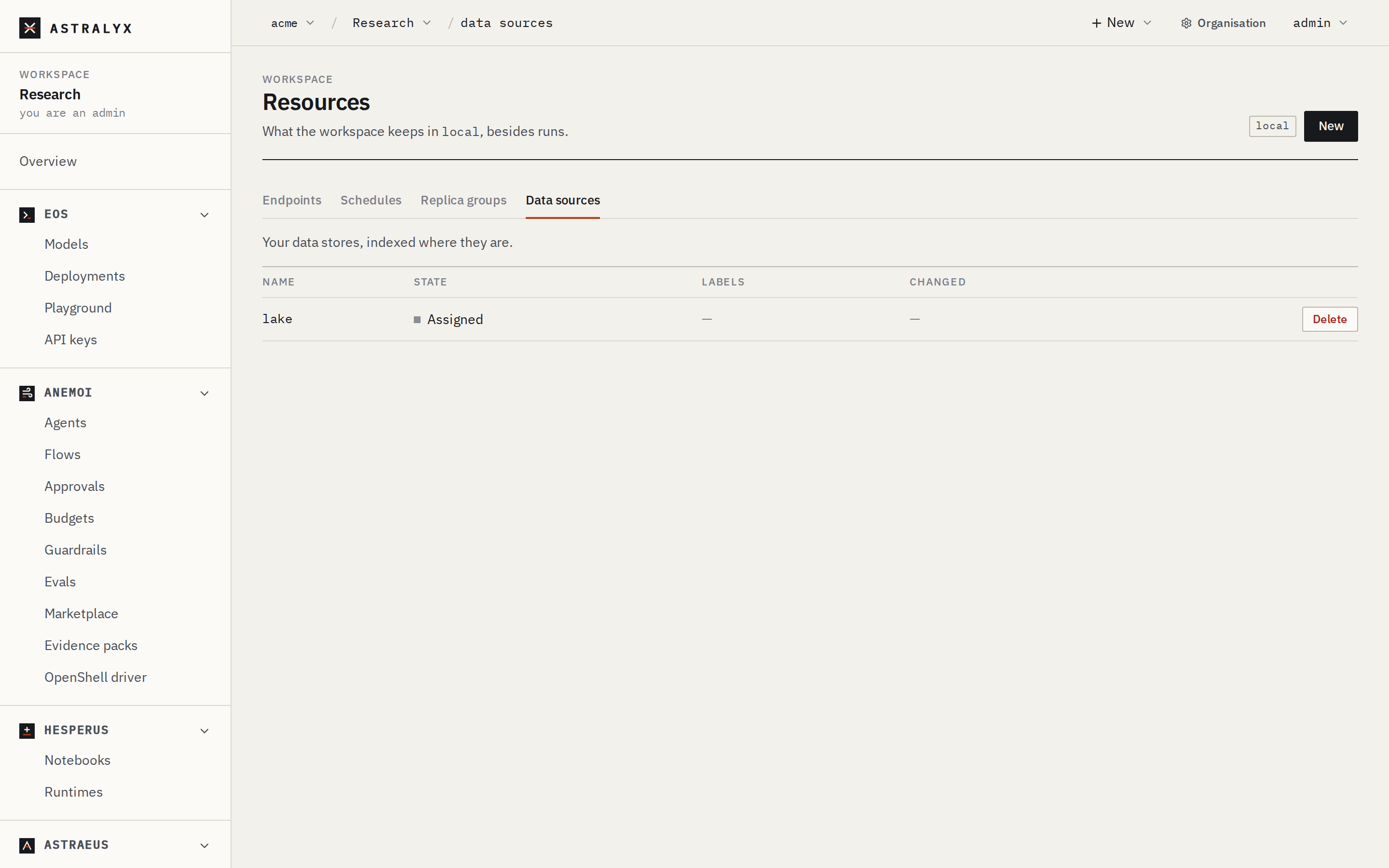
- Open Resources in the workspace, choose the cluster, and select the Data sources tab.
-
Click New. A JSON editor opens with a starting point:
-
Edit the object (see the examples below) and click Create.
- The data source appears in the list with its State. Click a row to see the whole object, including its status.
$ curl -sS -X POST "$API/data-sources" \
    -H "Authorization: Bearer $TOKEN" -H "Content-Type: application/json" \
    -d '{
      "metadata": {"name": "lake"},
      "spec": {
        "kind": "S3",
        "s3": {"bucket": "acme-training-data", "region": "eu-west-1", "prefix": "imagenet/", "auth_type": "instance_profile"}
      }
    }'
The cluster answers 201 Created. Then follow its state:
The status field moves from Unassigned to Assigned, then Ready or Error, with assigned_node and a reason.
Credential values are refused
A data source never holds a credential. A body with a non-empty field named credentials, secret_access_key, access_key_id, account_key, json_key, private_key, password, token, fingerprint or sasl_password, anywhere in spec, is refused with 400 CREDENTIALS_NOT_ACCEPTED: spec.s3.secret_access_key holds a credential; connectors do not store credentials — create an ExternalSecret that references them in your secret manager and name it in spec.external_secret_ref. Each kind's block also rejects unknown fields.
Examples#
{
  "metadata": {"name": "lake"},
  "spec": {
    "kind": "S3",
    "s3": {"bucket": "acme-training-data", "region": "eu-west-1", "prefix": "imagenet/", "auth_type": "access_key"},
    "external_secret_ref": {"name": "aws-lake-reader"}
  }
}
{
  "metadata": {"name": "minio-raw"},
  "spec": {
    "kind": "MinIO",
    "minio": {"endpoint": "https://minio.internal:9000", "bucket": "raw"},
    "external_secret_ref": {"name": "minio-reader"}
  }
}
{
  "metadata": {"name": "gcs-eval"},
  "spec": {"kind": "GCS", "gcs": {"bucket": "acme-eval", "prefix": "v3/"}}
}
{
  "metadata": {"name": "blob-logs"},
  "spec": {"kind": "Azure", "azure": {"account": "acmelogs", "container": "events", "prefix": "2026/"}}
}
{
  "metadata": {"name": "nas"},
  "spec": {
    "kind": "NFS",
    "nfs": {"server": "nas01", "export": "/export/data", "host_path": "/mnt/nas01/data"},
    "node_selector": {"site": "paris"}
  }
}
{
  "metadata": {"name": "local-datasets"},
  "spec": {
    "kind": "Local",
    "local": {"paths": ["/datasets/shared"], "node_paths": {"gpu-01": ["/mnt/nvme0/datasets"]}}
  }
}
Browse the index#
These routes are answered by the machine that serves the data source. File names and statistics stay on that machine and are sent only in answer to the request.
| Route | Query or body | Returns |
|---|---|---|
GET $API/data-sources/<name>/index |
The stored summary (see below). | |
GET $API/data-sources/<name>/files |
prefix, limit (default 1000, at most 10,000) |
Files under a prefix. |
GET $API/data-sources/<name>/partitions |
prefix, limit (default 1000, at most 10,000) |
Partitions (directories) and their values. |
GET $API/data-sources/<name>/profile |
prefix |
Parquet schema and merged column statistics; the latest value scan joins it. |
GET $API/data-sources/<name>/diff |
limit (default 1000, at most 10,000) |
What changed in the last pass. |
POST $API/data-sources/<name>/reindex |
Index now instead of waiting for the next pass. | |
POST $API/data-sources/<name>/scan |
{"prefix": "", "max_rows": 200000, "max_bytes": 536870912} |
A bounded value scan of Parquet data, in the background: nulls, min, max, mean and standard deviation, an approximate distinct count (about 1.6 % error), the 10 most frequent values, and a 20-bucket histogram for numbers. Defaults: 200,000 rows and 512 MiB. |
The summary has these fields:
| Field | Description |
|---|---|
node |
The machine that indexed. |
root_hash |
A hash over the partitions. Unchanged means nothing changed. |
indexed_at, duration_ms |
When the pass finished, and how long it took. |
files, bytes, partitions |
Totals. |
schemas, parquet_files, rows |
Distinct Parquet schemas, Parquet files whose footer was read, and their rows. |
unreadable |
Files whose footer could not be read. |
truncated |
true when the pass stopped at the file limit (200,000 by default). |
added, removed, changed |
Since the previous pass. |
error |
Why the last pass failed. The totals are then the last good ones. |
Read the same store from a run#
Runs read stores with their own clients. Give the run a credential and map its keys to the environment variables the client expects:
{
  "task_template": {
    "image": "amazon/aws-cli:2.17.0",
    "command": "aws",
    "args": ["s3", "sync", "s3://acme-training-data/imagenet/", "/data"],
    "requested_resources": {"cpu_cores": 4, "memory_bytes": 8589934592},
    "secret_refs": [
      {"external_secret_name": "aws-lake-reader",
       "env_vars": {"access_key_id": "AWS_ACCESS_KEY_ID", "secret_access_key": "AWS_SECRET_ACCESS_KEY"}}
    ],
    "datavolume_refs": [{"name": "imagenet-cache", "mount_path": "/data", "mode": "ReadWrite"}]
  }
}
On a machine with an instance role, the run can use that role directly and needs no credential. See Credentials.
Credentials by kind#
With external_secret_ref, the machine that serves the data source reads these keys from the credential. The credential must produce files with exactly these names: store the value as a JSON object with these fields, or map them with data.
kind |
Without external_secret_ref |
With external_secret_ref |
|---|---|---|
S3 |
auth_type: instance_profile (or empty): the machine's EC2 instance role. Region: region, else the instance's |
auth_type: access_key: keys access_key_id, secret_access_key, optional session_token. Region: region, else us-east-1 |
MinIO |
Not possible: a credential is required | Keys access_key_id, secret_access_key, optional session_token. Requests are signed for us-east-1 |
GCS |
The machine's service account (GCE metadata server) | Key json_key: a service-account key |
Azure |
The machine's system-assigned managed identity | Key account_key: the storage account key, base64 as Azure gives it |
Oracle |
auth_type: instance_principal (or empty): the instance principal |
auth_type: config: keys tenancy_ocid, user_ocid, fingerprint, private_key (PEM). region is required |
NFS, Local |
Nothing: files are read on the machine | Not used |
The credential is fetched only onto the machine that serves the data source, and only while it does. See Credentials for how.
Change or delete a data source#
On Resources → Data sources, click Delete on the row and confirm. There is no edit form: delete and create again, or use the API.
Replace the spec. The body carries the whole new spec:
$ curl -sS -X PUT "$API/data-sources/lake" \
    -H "Authorization: Bearer $TOKEN" -H "Content-Type: application/json" \
    -d '{"spec": {"kind": "S3", "s3": {"bucket": "acme-training-data", "prefix": "imagenet-v2/"}}}'
Delete it:
The cluster answers 204 No Content. Deleting a data source never touches the store.
Reference#
Fields#
| Field | Type | Default | Description |
|---|---|---|---|
metadata.name |
string | required | The data source's name. |
spec.kind |
string | required | S3, MinIO, GCS, Azure, Oracle, NFS, Local, Kafka, SQS or EventBridge. The matching block must be set. |
spec.external_secret_ref.name |
string | none | The credential to read keys from. |
spec.node_selector |
map | none | Labels a machine must carry to serve the data source, in addition to the workspace's pools. |
spec.format |
string | none | parquet, json, avro, proto or raw. Stored; the catalog recognises Parquet files by their .parquet extension. |
spec.index_interval_seconds |
integer | 0 |
Stored. The re-index period is set on the machine (5 minutes by default). |
spec.auto_profile |
boolean | false |
Stored. Value scans run only when you ask for one. |
Per-kind blocks#
| Block | Field | Required | Description |
|---|---|---|---|
s3 |
bucket |
yes | Bucket. |
region |
no | Region. | |
prefix |
no | Key prefix. | |
auth_type |
no | instance_profile (default) or access_key (needs external_secret_ref). |
|
minio |
endpoint |
yes | Endpoint URL, for example https://minio.internal:9000. |
bucket |
yes | Bucket. | |
prefix |
no | Key prefix. | |
gcs |
bucket |
yes | Bucket. |
prefix |
no | Name prefix. | |
azure |
account |
yes | Storage account. |
container |
yes | Container. | |
prefix |
no | Name prefix. | |
oracle |
namespace |
yes | Object Storage namespace. |
bucket |
yes | Bucket. | |
prefix |
no | Name prefix. | |
region |
with config |
Region. | |
auth_type |
no | instance_principal (default) or config (needs external_secret_ref). |
|
nfs |
host_path |
yes, to be indexed | Where the export is already mounted on the machines. The catalog does not mount NFS itself. |
server, export, path |
server and export without host_path |
Accepted for reference. | |
local |
paths |
at least one path overall | Absolute directories on every machine. |
node_paths |
Additional directories per machine: {"gpu-01": ["/mnt/nvme0/datasets"]}. |
||
kafka |
brokers, topic, group_id |
yes | Stored only. start_offset, sasl_mechanism (needs external_secret_ref), tls_enabled. |
sqs |
queue_url |
yes | Stored only. region, visibility_timeout_seconds, max_number_of_messages, wait_time_seconds, fifo. |
event_bridge |
event_bus_name, rule_name |
yes | Stored only. endpoint_host, labels. |
States#
| State | Meaning |
|---|---|
Unassigned |
No Up machine of the workspace's pools matches node_selector. |
Assigned |
A machine serves it; its first check is pending. |
Ready |
The machine reached the store. |
Error |
The machine could not reach the store; reason has the store's answer. |
Limits#
| Limit | Default |
|---|---|
| Index pass and reachability check | every 5 minutes |
| Files per pass | 200,000 (the summary says truncated) |
| Value scan | 200,000 rows, 512 MiB |
limit on file, partition and diff listings |
1000 by default, 10,000 at most |
Troubleshooting#
| Symptom | Cause | Fix |
|---|---|---|
Stays Unassigned |
No Up machine in the workspace's pools matches node_selector, or none runs the agent's data part. |
Check the selector and the pools; install the machine with --agents including data (the default). |
Error: secret aws-lake-reader has no key access_key_id on this node (is it synced?) |
The credential has not been fetched onto the machine yet, or it lacks that key. | Check the credential's state; add the key or map it with data. |
Error: NFS connectors are served from spec.nfs.host_path; mounting is not done by the catalog |
host_path is empty. |
Mount the export on the machines and set host_path. |
Error: Kafka connectors are streams, … the catalog indexes stored data |
Streams are not indexed. | Expected. |
Error: authentication failed: the instance has no IAM role attached |
instance_profile on a machine without an instance role. |
Attach a role, or use access_key with a credential. |