Runs and workers#
A run is a piece of work you ask Astraeus to do: an image, a command,
and what it needs — "train this on 16 GPUs for at most 12 hours". The
scheduler turns it into workers, one container each on one machine, and
places them. A worker's index in its run is its rank. In the API a run is
a job (/jobs, also /runs) and a worker is a task (/tasks,
also /workers).
Use a run when:
- You train or fine-tune a model, on one GPU or across many machines (distributed training starts all workers together, as a gang).
- You process a batch: preprocessing, evaluation, batch inference — work that ends.
- You sweep parameters: an array runs the same template N times, each with its index, at most M at once.
- You keep something running: a notebook server, a development container,
an inference server — a run with lifetime
Serviceis restarted whenever it ends, until you delete it. - Your work has parts: a parameter server and trainers, an engine and its clients — worker groups of different images and sizes in one run, one starting after another.
Workers and ranks#
Workers are named <run>-<rank>: train-0, train-1. In a run with worker
groups, <run>-<group>-<rank>. Every worker gets its rank and the run's size
in its environment (RANK, WORLD_SIZE, and Slurm's SLURM_PROCID,
SLURM_NTASKS…), and, in a multi-worker run, the leader's address
(MASTER_ADDR, MASTER_PORT = 29500) — what torchrun and most launchers
read. See Inside a worker.
The shape: GPUs, not machines#
A run asks for GPUs for the whole run (gpu_requests.count). Unless you say
otherwise, the scheduler picks the shape: how many machines, and how many
GPUs on each — the fewest machines on the best network that has room, tried
in this order: one machine, one NVLink domain, one InfiniBand fabric (and
rack), one RDMA network, one rack, Ethernet last. CPU cores and memory can
follow the GPUs (per_gpu), so the total fits whatever shape is chosen.
You can constrain it instead:
| You want | Ask for |
|---|---|
| Exactly N machines, GPUs split evenly | machines: N |
| Never fewer than K GPUs on one machine | gpu_requests.min_per_machine: K |
| A GPU model, a minimum GPU memory | gpu_requests.models, gpu_requests.min_memory_gb |
| Only healthy GPUs | gpu_requests.healthy_only: true |
| Never slower than InfiniBand between workers | network.interconnect: "infiniband" |
| The whole run inside one rack, fabric or NVLink domain | topology.keep_within |
See GPUs and placement and Multi-machine runs.
How workers start: start#
| Value | Behaviour | Default for |
|---|---|---|
Gang |
All or nothing: every worker placed together, and started together behind a barrier. A gang is Starting until every worker runs; it waits up to 15 minutes at the barrier. |
Runs that may span several machines |
MinAvailable |
Starts once min_available workers can start together; the rest join as room appears. For Spark and elastic training. |
— |
Independent |
Each worker starts when it fits. | Runs on one machine, arrays |
When a worker fails#
Two settings decide.
restart_policy on the worker template — whether a failed worker is
retried at all:
| Value | Behaviour |
|---|---|
OnFailure (default) |
A failed or lost worker is restarted, up to 10 times, waiting 10 s before the first restart and doubling up to 5 min. A worker that runs 10 minutes has its count reset. |
Never |
A failed worker is not restarted. The CLIs set this. |
Always |
Also restarted when it completes. |
on_failure on the run — what a restart covers:
| Value | Behaviour | Default for |
|---|---|---|
RestartJob |
Restart every worker: synchronous training does not survive the loss of a member. | Gangs |
RestartTask |
Restart only the worker that failed. In a gang, losing the leader still restarts all. | Everything else |
FailJob |
No restart: the run fails and its other workers are stopped. | — |
A worker stopped by its time limit is never restarted. A worker preempted for higher-priority work goes back to the queue without spending its restart budget. See Priorities, preemption and checkpoints.
How long: lifetime#
| Value | Behaviour |
|---|---|
Batch (default) |
The run ends when its workers end: Completed when all complete, Failed under its failure policy. |
Service |
Runs until you delete it; restarted whenever it ends. Never Completed. |
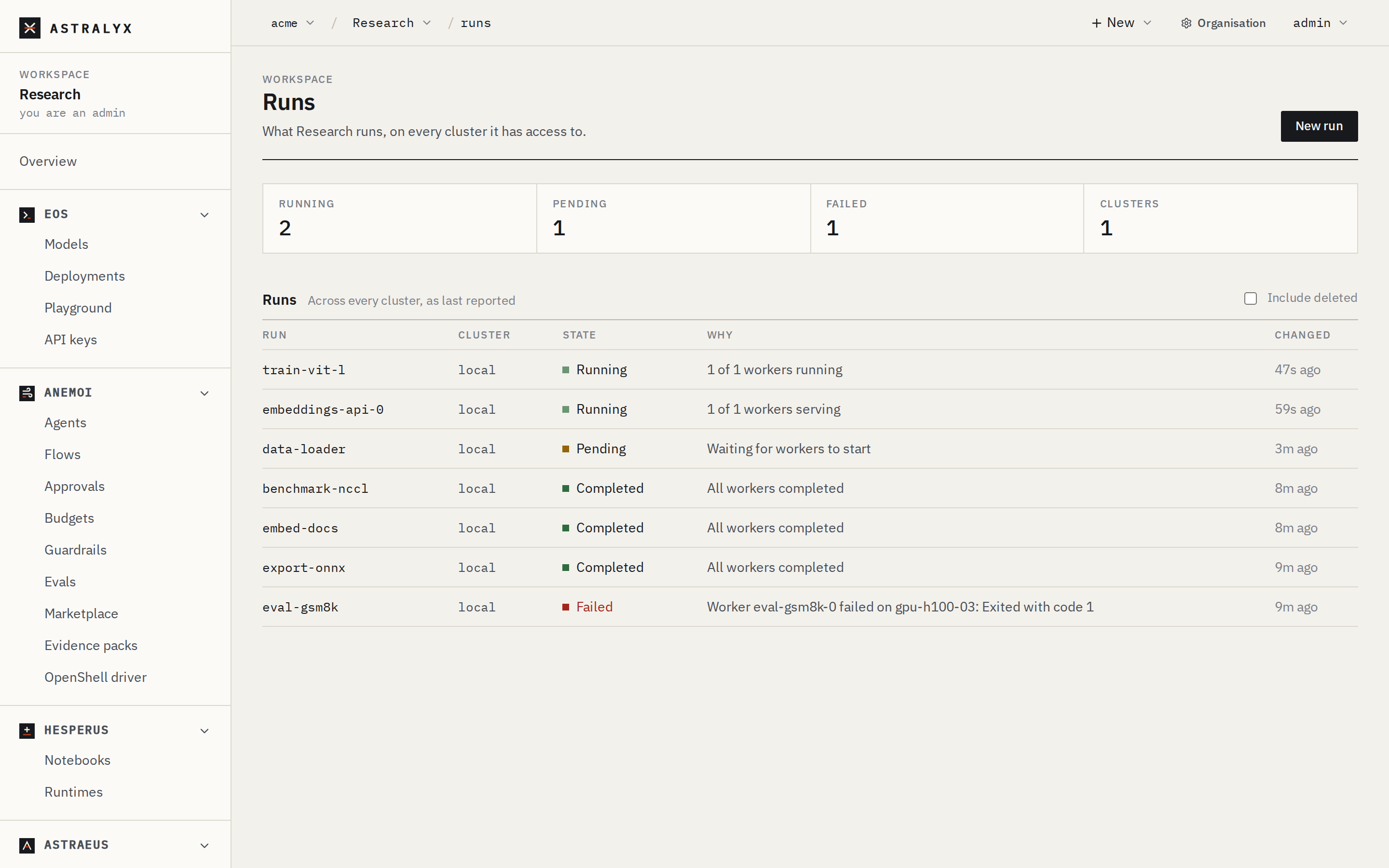
Run states#
| State | Meaning |
|---|---|
Pending |
No worker runs yet: waiting in the queue, or being prepared. |
Starting |
A gang placed whole; its workers are preparing and start together. |
Running |
At least one worker runs (every one, for a gang). |
Completed |
Every worker completed successfully. |
Failed |
The run failed under its policy. |
Cancelled |
Cancelled by a user. |
Workers have more states (Preparing, Pulling, ReadyToStart, Stale,
Down…). Every state comes with a reason in words. See Run and worker
states.
Create one#
A distributed PyTorch training run on 16 GPUs, letting the scheduler pick the machines, with 12 CPU cores and 120 GiB of memory per GPU and a 12-hour limit:
- New → Run.
- Name
llama-ft, Imagenvcr.io/nvidia/pytorch:24.08-py3. - GPUs
16, Machines Automatic, CPU cores per GPU12, Memory per GPU120Gi. - Under More options: Time limit
12h. Start stays Automatic: a gang, because the run may span machines. - Choose Edit as JSON (worker groups, drives, probes…) and set
commandandargsas in the API tab. Arguments are passed as they are: no shell expands$RANKunless the command issh -c. - Start run.
$ astra astraeus run --name llama-ft \
    --image nvcr.io/nvidia/pytorch:24.08-py3 \
    --gpus 16 --cpus 12 --mem 120G \
    --time 12h \
    -- sh -c 'torchrun --nnodes=$WORLD_SIZE --node-rank=$RANK --nproc-per-node=gpu \
              --master-addr=$MASTER_ADDR --master-port=$MASTER_PORT train.py'
llama-ft submitted to default: https://console.astralyx.cloud/o/acme/w/default/jobs/default/llama-ft
With GPUs, --cpus and --mem are per GPU. astra astraeus run starts
its workers independently, not as a gang; for a gang, use the API tab's
specification (or save it as a template and pass --template).
{
  "metadata": {"name": "llama-ft"},
  "spec": {
    "start": "Gang",
    "on_failure": "RestartJob",
    "task_template": {
      "image": "nvcr.io/nvidia/pytorch:24.08-py3",
      "command": "sh",
      "args": ["-c", "torchrun --nnodes=$WORLD_SIZE --node-rank=$RANK --nproc-per-node=gpu --master-addr=$MASTER_ADDR --master-port=$MASTER_PORT train.py"],
      "requested_resources": {
        "gpu_requests": {"count": 16},
        "per_gpu": {"cpu_cores": 12, "memory_bytes": 128849018880}
      },
      "time_limit_seconds": 43200
    }
  }
}
$ curl -sS -X POST "$WS_API/runs" -H "Authorization: Bearer $ASTRAEUS_TOKEN" \
    -H 'content-type: application/json' -d @run.json
$WS_API is your workspace's view of the cluster,
https://console.astralyx.cloud/api/v1/orgs/<org>/workspaces/<workspace>/clusters/<cluster>/api.
train.py must be in the image (or on a drive). For a complete,
step-by-step example, see Your first run.