API tokens and automation#
Scripts, CI pipelines, astra and coding assistants reach Astralyx with a
credential that acts as a person. This page covers personal API tokens,
signing in the CLI, how to set up an account for automation, and how these
differ from the API keys that call Eos deployments.
Credentials at a glance#
| Credential | Acts as | Lifetime | Made by | Used for |
|---|---|---|---|---|
| Browser session | You | 12 hours | Signing in to the console | The console |
| CLI session | You | 30 days | astra login, approved in the console |
astra on your computer |
Personal API token (ast_pat_…) |
You | 1 to 3650 days, or none | Account & tokens | Scripts, CI, astra with ASTRA_TOKEN, MCP clients |
| Eos API key | A workspace's deployments | As set on the key | A workspace's API keys page | Calling models with an OpenAI-compatible client |
There are no organisation-owned service tokens. A token always acts as the person who created it, with their roles, in every organisation and workspace they belong to; it is not limited to one organisation. Eos API keys are different: they belong to a workspace and only call its deployments (Eos).
API tokens#
| Property | Value |
|---|---|
| Format | ast_pat_ followed by 43 random characters (256 bits) |
| Shown | Once, when it is created. Astralyx keeps only its SHA-256 hash. |
| Name | Required, at most 100 characters |
| Expiry | 1 to 3650 days (longer values are capped at 3650), or none |
| Listed with | Its first 12 characters, name, creation, last use and expiry |
| Revoked | At once: the next request with it is refused |
Create a token#
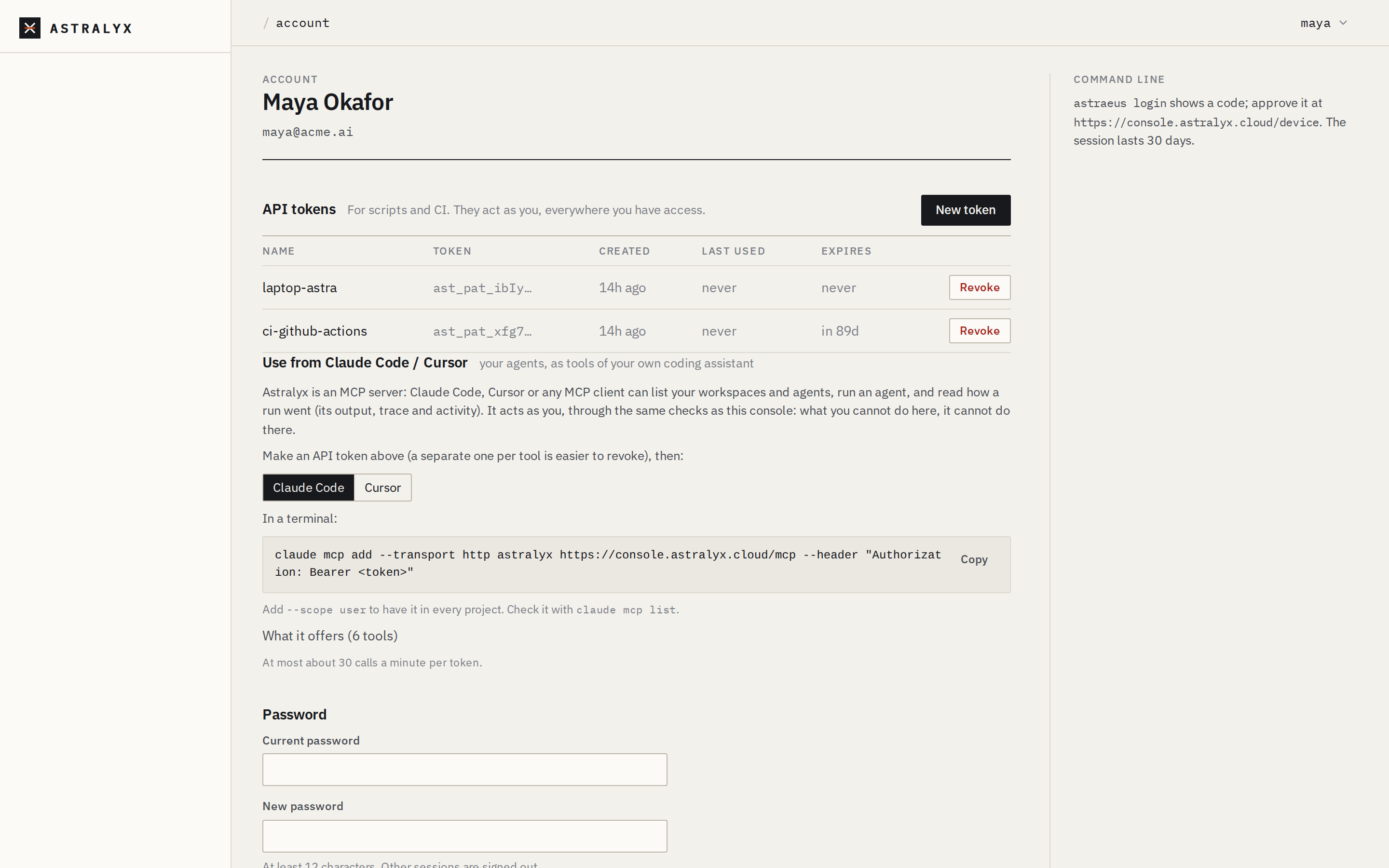
- Open the account menu (your name, top right) and choose Account & tokens.
- Under API tokens, select New token.
- Enter What it's for (for example
CI — nightly benchmarks) and, optionally, Expires after (days). Empty never expires. - Select Create token and copy the token now: it is not shown again.
astra does not create tokens. A token made in the console works as
ASTRA_TOKEN; see CLI configuration.
You must already be signed in, with a session or another token:
Use it as a bearer token:
Revoke a token#
In Account & tokens → API tokens, select Revoke in its row. Through
the API, DELETE /me/tokens/{id} answers 204; GET /me/tokens lists your
tokens, without their values.
Tokens are personal: nobody, not even an organisation owner, can list or revoke another person's tokens. To cut off a person's tokens from your organisation, remove them from it (Members and invitations): their tokens keep existing but no longer reach anything of yours.
Creating and revoking tokens is recorded (token.create, token.delete),
but in no organisation's audit log: a token belongs to a person, not to an
organisation.
Sign in the CLI#
astra login signs in by approving the device in the console (the OAuth
device flow):
- Run
astra login. It prints an address and a code, for exampleKXQT-BRMW. - Open the address. If you are not signed in to the console, sign in.
- On Confirm the code, check that the code matches the one in your terminal, then select Approve.
astrasaves a CLI session, valid 30 days.
The code expires after 10 minutes and is used once. Approve only a code
you just requested yourself: whoever started the sign-in gets a session as
you. Approvals are recorded as device.approve. See
Install the CLI.
Automation and CI#
Because tokens act as people, give automation its own account:
- Create an account for the automation, for example
[email protected], with a mailbox you control. Sign it up and verify the address. - Invite it to the organisation as a
member— never an admin. - Add it only to the workspaces it
works in, as
editor(to start runs) orviewer(to read). - Signed in as that account, create a token with an expiry, one per pipeline, named after it.
-
Store the token in your CI's secret store and pass it as
ASTRA_TOKEN, withASTRA_ORGandASTRA_WORKSPACE:
Every request the token makes is checked against that account's role, and its changes are attributed to it in the audit log and events.
Tip
One token per pipeline or tool makes revoking one easy. Set an expiry and rotate before it: a token never extends itself.
Coding assistants (MCP)#
Astralyx is an MCP server at https://console.astralyx.cloud/mcp: Claude
Code, Cursor or any MCP client can list your workspaces and agents, run an
agent and read how a run went. It authenticates with a personal API token
(Authorization: Bearer ast_pat_…) and acts as you, through the same checks
as the console. Account & tokens → Use from Claude Code / Cursor shows
the commands. Requests from web pages other than the console are refused,
and each token is rate-limited (the page shows the limit). What agents do is
documented in Anemoi.