Manage API keys#
Programs call your deployments through a gateway with an API key of the workspace. Make one key per program, limited to the deployments it needs, so you can revoke it alone. See Gateways, API keys, sharing and usage.
Before you begin#
- The editor or admin role to create and revoke keys; viewers see the list. Turning the hosted gateway on or off is for workspace admins.
- For the API examples,
ASTRAEUS_TOKENandAPIas in Add a model.
Create a key#
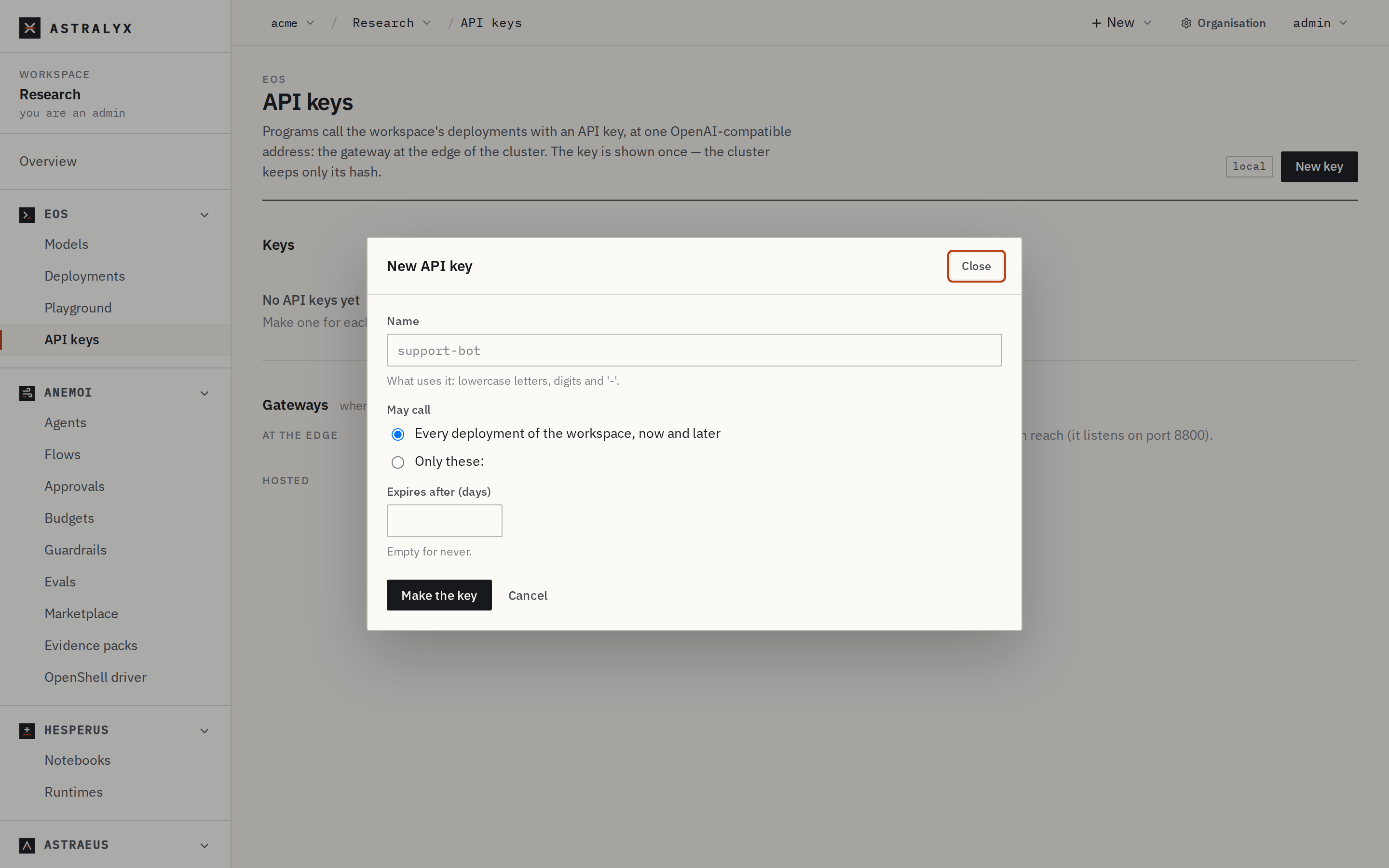
- Open Eos → API keys and press New key.
- Name: what uses it (
support-bot): lowercase letters, digits and-, at most 63 characters. - May call: Every deployment of the workspace, now and later, or Only these: and tick the deployments. Tick Also deployments shared with this workspace to add deployments other workspaces share with yours for calls.
- Expires after (days): empty for never.
- Press Make the key. Copy it now: the cluster keeps only its hash, and it won't be shown again. The dialog also shows examples that call a deployment with it.
$ astra inference keys create support-bot --deployment chat --expires 2027-01-01T00:00:00Z
ak-3fQ…
support-bot: keep this key now; it is not shown again
The key goes to standard output and the warning to standard error, so
KEY=$(astra inference keys create …) keeps only the key. Without
--deployment (repeatable), the key may call every deployment.
$ curl -fsS -X POST "$API/api-keys" -H "Authorization: Bearer $ASTRAEUS_TOKEN" \
    -H 'content-type: application/json' \
    -d '{"metadata": {"name": "support-bot"}, "spec": {"deployments": ["chat"], "expires_at": "2027-01-01T00:00:00Z"}}' \
    | jq -r .key
ak-3fQ…
| Field | Default | Description |
|---|---|---|
metadata.name |
required | Lowercase letters, digits and -, at most 63 characters. |
spec.deployments |
[] (every deployment, now and later) |
Deployments of the workspace, at most 100. |
spec.shared_deployments |
[] |
Deployments shared with the workspace for calls, as <owner namespace>.<deployment>, at most 100. |
spec.expires_at |
none (never) | An RFC 3339 time in the future. |
The answer (201) carries key once; it is never returned again.
Store the key in your application's secret store and pass it as
Authorization: Bearer ak-….
List keys#
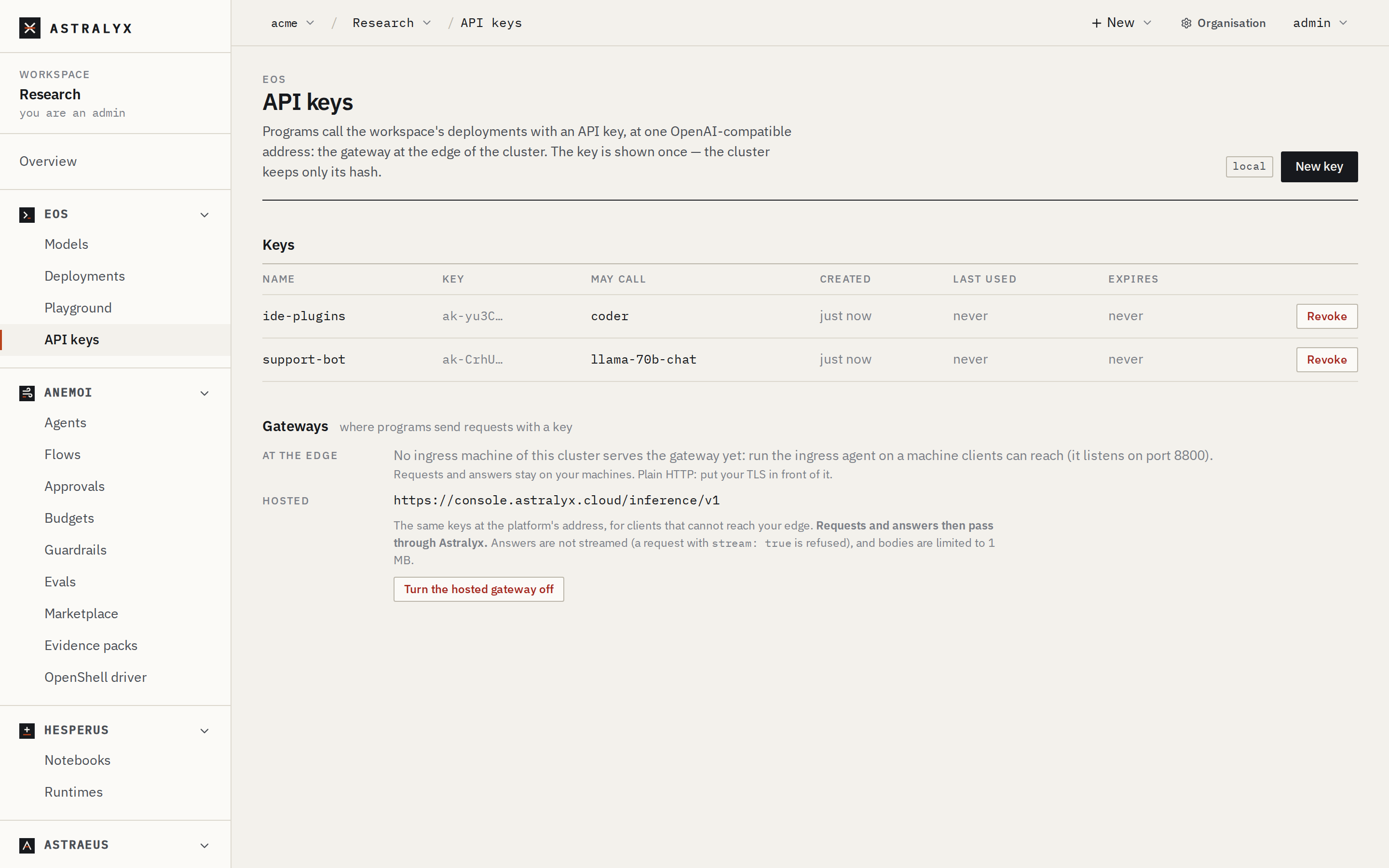
Eos → API keys lists each key's Name, the first characters of its Key, what it May call, when it was Created, Last used (never until a gateway sees it) and when it Expires.
GET $API/api-keys returns {items: [...]}, each with metadata,
spec, prefix, created_by, created_at, last_used and
expired. GET $API/api-keys/<name> returns one.
Revoke a key#
Revoking deletes the key. To rotate one, create a new key, move the program to it, then revoke the old one.
Find the gateway#
Eos → API keys → Gateways lists where programs send requests:
- At the edge: each machine running the agent's edge part, as
<address>/v1. Requests and answers stay on your machines. Plain HTTP: put your TLS in front of it. When none is listed, install the edge part on a machine your clients can reach (The gateway on your machines). - Hosted:
https://console.astralyx.cloud/inference/v1when it is on, else Off.
A deployment's page shows the same addresses under Gateway, with
examples for that deployment, and the API returns them in the
deployment's gateways.
Turn the hosted gateway on or off#
As a workspace admin, on Eos → API keys, press Turn the hosted gateway on (or off). With the API:
$ curl -fsS -X PATCH "$CONSOLE" -H "Authorization: Bearer $ASTRAEUS_TOKEN" \
    -H 'content-type: application/json' -d '{"hosted_gateway": true}' | jq .hosted_gateway_url
"https://console.astralyx.cloud/inference/v1"
The hosted gateway carries your prompts
With it on, requests and answers through it pass through Astralyx. It does not stream, takes bodies up to 1 MB, and gives each call 90 s. Prefer the gateway on your own machines.
Troubleshooting#
| Error from the gateway | Cause | Fix |
|---|---|---|
401 missing_api_key |
No Authorization: Bearer header. |
Send the key as Authorization: Bearer ak-…. |
401 invalid_api_key |
The key is wrong, revoked, or of another cluster. | Check the key; create a new one. |
401 expired_api_key |
Past its expires_at. |
Create a new key. |
403 model_not_allowed |
The key may not call that deployment. | Use a key that lists it, or one for every deployment. |
404 model_not_found |
No deployment of that name in the key's workspace. | Use the deployment's name exactly as the console shows it under Model name. |
403 hosted_gateway_disabled |
The hosted gateway is off for the key's workspace. | Call the gateway on your machines, or ask a workspace admin to turn it on. |