Serve an open chat model on one GPU machine#
You serve Llama 3.1 8B Instruct on one machine with one 24 GB GPU (an RTX 4090, an RTX A5000, an L4 with 24 GB, a Radeon RX 7900 XTX), with a 32K context, for a handful of people at once. You check that it fits, deploy it, try it, call it, and then try the same model on vLLM.
What you need:
- A workspace with a cluster and that machine, with a data location chosen (Machines → the machine → Data location → Confirm). 5 GB of free space there.
- The editor role, an API token and the variables in How the recipes are written.
- A gateway: a machine running the agent's edge part, or the hosted gateway (Gateways).
1. Check that it fits#
- Open Eos → Models → Library, search
llama 3.1and open Llama 3.1. - Under Runs on, pick your machine. The 8B row shows each
variant:
Q4_K_Mis 4.9 GB to download and needs 9.8 GB memory at 8,192 tokens and 4 requests at once — fits on a GPU. - Click the cell. The panel lists your machine as 1× … ✓.
The memory is the weights (4.9 GB), the KV cache for 4 requests of 8,192 tokens (4.3 GB: 128 KiB per token for this model) and overhead. A 32K context for 4 requests at once would need 17 GB of cache — more than the GPU holds with the weights — so this recipe serves 2 requests at once at 32K: 4.9 + 8.6 + 0.5 ≈ 14 GB, within the 21.6 GB usable on a 24 GB GPU.
2. Deploy it#
- In the variant's panel, press Deploy. New deployment opens
with
llama3.1:8b-q4_k_m, added on the way. - Name:
chat. Runs on: GPUs. GPUs per replica: Automatic. - Clear Scale to zero when idle; Replicas, at least
1, at most1. - Context length:
32768. - Open Advanced: Requests at once, per replica
2; Engine arguments:--flash-attn on. - What it will take says 1 GPU ≥ … GB and which machine can take it. Press Deploy.
astra inference deploy has no flag for parallel requests or engine
arguments; this deploys with the default of 4 at once and an 8K context:
$ curl -fsS -X POST "$CONSOLE/clusters/main/models" -H "Authorization: Bearer $ASTRAEUS_TOKEN" \
    -H 'content-type: application/json' -d '{"catalog": "llama3.1:8b-q4_k_m"}' | jq -r .metadata.name
llama3-1-8b-q4-k-m
The replica downloads the weights (the fill run's log shows the progress
every ten seconds), then llama.cpp loads them. The deployment becomes
Ready with 1 replica serving.
3. Try it#
- On the deployment's page, the Each replica fact shows what it holds (1 GPU ≥ … GB) and Context 32,768 tokens · 2 at once.
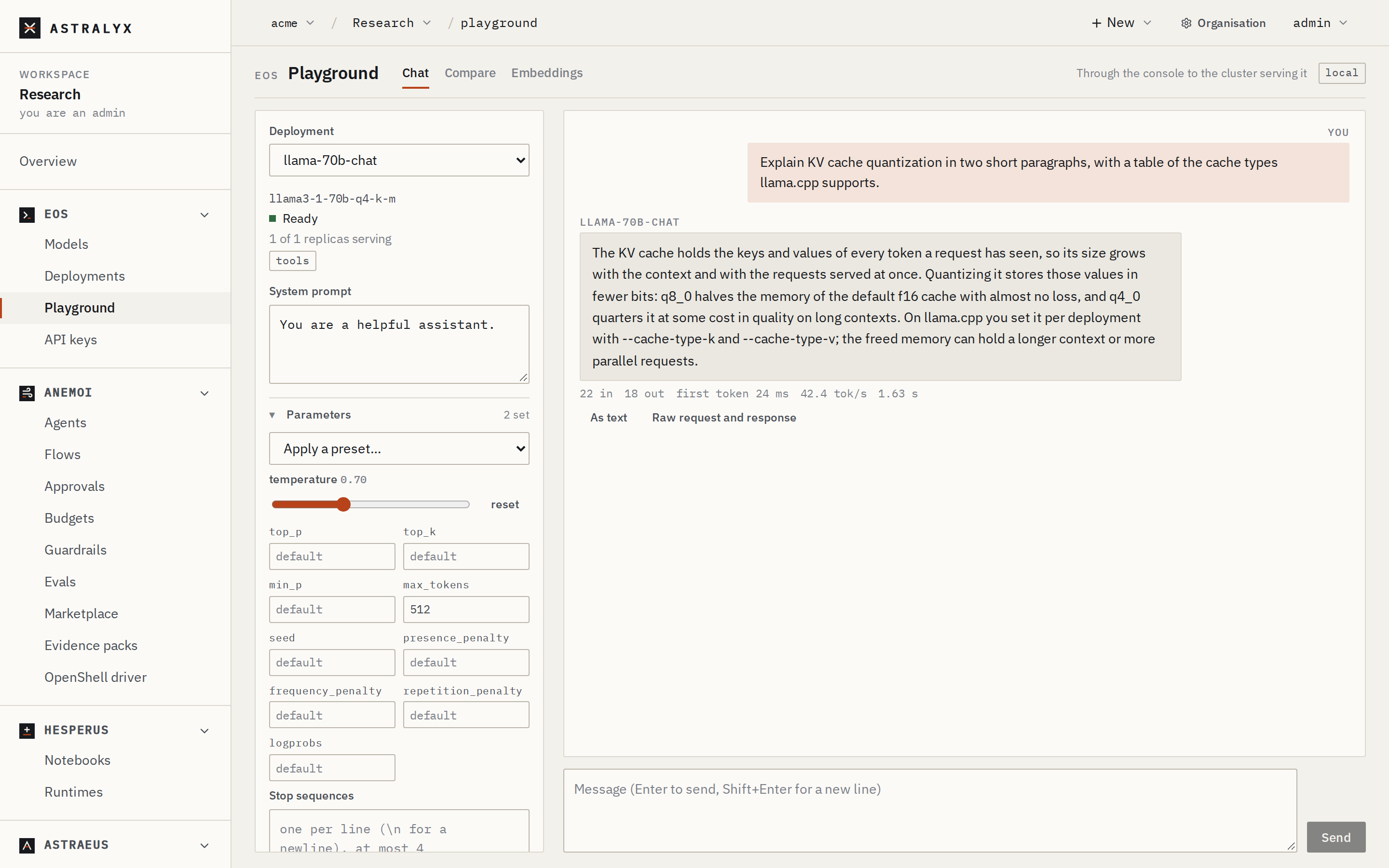
- Press Try in the Playground. Ask something long — paste a document and ask for a summary. The answer is written as it comes, in markdown, with its tokens per second under it.
4. Call it#
Make a key for it (Eos → API keys → New key, Only these: chat), then:
$ curl -sS $EOS_URL/chat/completions \
    -H "Authorization: Bearer $ASTRAEUS_API_KEY" -H "Content-Type: application/json" \
    -d '{"model": "chat", "temperature": 0.2,
         "messages": [{"role": "system", "content": "You answer in one sentence."},
                      {"role": "user", "content": "What is tensor parallelism?"}]}' \
    | jq '{answer: .choices[0].message.content, usage}'
import os
from openai import OpenAI

client = OpenAI(base_url=os.environ["EOS_URL"], api_key=os.environ["ASTRAEUS_API_KEY"])
for chunk in client.chat.completions.create(
    model="chat",
    messages=[{"role": "user", "content": "Give three uses of a 32K context."}],
    stream=True,
):
    if chunk.choices:
        print(chunk.choices[0].delta.content or "", end="", flush=True)
print()
5. Check that it worked#
GET $EOS_URL/modelswith the key listschat.- Organisation → Usage → Tokens by model shows
llama3-1-8b-q4-k-mwith your requests and tokens. - The replica's Log (on the deployment's page, under Replicas) shows llama.cpp's own lines for each request.
Variation: the same model on vLLM#
vLLM serves the full checkpoint and batches many requests at once. Llama
3.1's checkpoint is gated: accept Meta's terms on Hugging Face, add a
credential with your token under token
(Credentials), and choose it when you
add the model.
$ curl -fsS -X POST "$CONSOLE/clusters/main/models" -H "Authorization: Bearer $ASTRAEUS_TOKEN" \
    -H 'content-type: application/json' -d '{"catalog": "llama3.1:8b-bf16", "credential": "hf-token"}'
$ curl -fsS -X POST "$API/deployments" -H "Authorization: Bearer $ASTRAEUS_TOKEN" \
    -H 'content-type: application/json' \
    -d '{"metadata": {"name": "chat-vllm"}, "spec": {"model": "llama3-1-8b-bf16", "context_length": 16384}}'
The bf16 checkpoint is 16.1 GB and the library judges it at 18.7 GB:
it fits a 24 GB GPU, with less room for the cache than the quantized model
leaves. vLLM's default is 256 sequences at once, which it pages through the
cache it has.
Clean up#
On the deployment's page press Delete (or
curl -X DELETE "$API/deployments/chat" …). To free the disk too, delete
the model in Models → In this workspace: its weights are deleted on
every machine.
Troubleshooting#
| Symptom | Cause | Fix |
|---|---|---|
Pending: Waiting for a machine with a GPU with at least 16 GB |
The GPU is in use, or smaller than the plan asks. | Why? names what holds it. Lower context_length or parallel. |
| The replica keeps exiting, its log ends in an out-of-memory error | The context and parallel requests do not fit next to something else on the GPU. | Lower parallel to 1 or the context to 16384. |
400 INVALID_DEPLOYMENT: spec.context_length 200000: model … takes at most 131072 tokens |
More than the model's context. | Use at most 131072. |