Watch usage#
Eos counts every answer: prompt tokens, completion tokens and requests. Replicas also hold GPUs (or CPU cores), which count as GPU-hours like any run. This page shows where to see both, how to price them, and how to be told when a deployment goes down.
What is counted#
| What | Counted | Shown under |
|---|---|---|
| Tokens and requests through a gateway | Per deployment, API key and minute; reported within seconds | The deployment's model |
| Tokens in the Playground | The same, under the person who chatted | The deployment's model |
| Calls to a deployment shared with you | In your usage too | shared:<owner namespace>.<model> |
| GPU-hours, core-hours, memory | While a replica holds them, as for any run | The GPU model (NVIDIA H100 80GB HBM3…) |
A request counts even when it fails. Tokens count when the engine reports them: for a streamed answer the gateway asks the engine for its usage itself. A stopped Playground answer counts what was written. A deployment scaled to zero holds nothing.
Per key, the console shows only Last used (to the minute); token totals are per model.
See it#
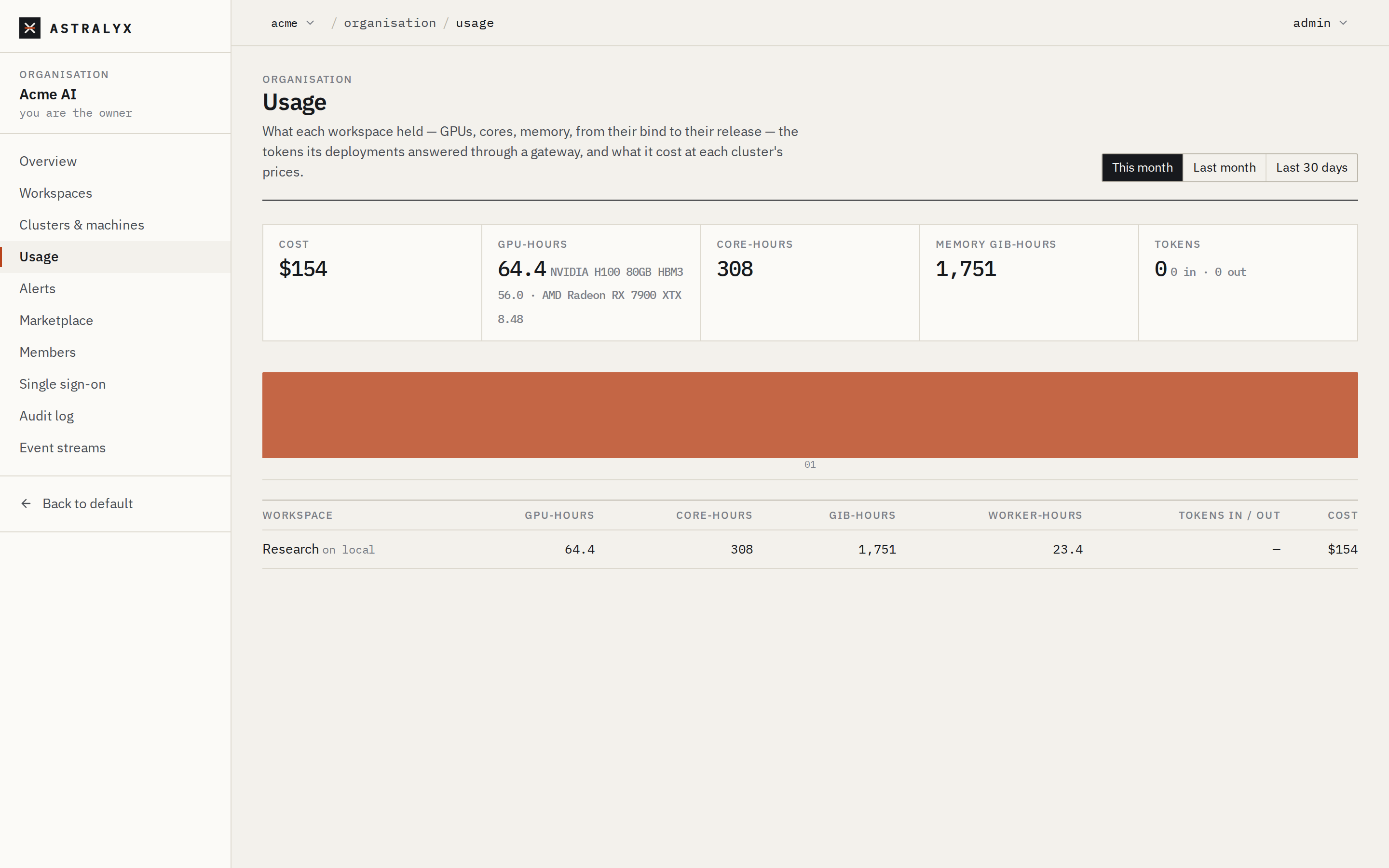
Open Organisation → Usage (organisation members). Choose This month, Last month or Last 30 days.
- The Tokens tile: tokens in and out over the period.
- The workspace table: Tokens in / out per workspace, next to GPU-hours, core-hours, GiB-hours, worker-hours and cost.
- Tokens by model: what deployments answered through a gateway, with an API key — Model, Requests, Prompt tokens, Completion tokens and Token cost.
The Playground's side panel shows the tokens of the current conversation.
$ curl -fsS "https://console.astralyx.cloud/api/v1/orgs/acme/usage?start=2026-10-01T00:00:00Z&end=2026-11-01T00:00:00Z" \
    -H "Authorization: Bearer $ASTRAEUS_TOKEN" | jq '.items[] | {workspace, tokens: .usage.tokens, token_cost: .usage.token_cost}'
Each item's usage.tokens maps a model to {prompt, completion,
requests, cost}. See Usage, cost and budgets.
Price tokens#
Each cluster has a price table: on a cluster dedicated to your organisation, its owners and admins set it under Organisation → Clusters & machines → the cluster → Prices; on Astraeus Cloud, Astralyx sets it and you see it. For tokens:
| Key | Unit |
|---|---|
tokens_prompt:<model> |
Per million prompt tokens of that model (the workspace's model name) |
tokens_completion:<model> |
Per million completion tokens of that model |
tokens_prompt, tokens_completion |
Any model without its own price |
A shared model is priced under its own name, at the owner's cluster's prices. Pricing both a deployment's GPU-hours and its tokens charges both; a price table usually prices one or the other.
Alert when a deployment goes down#
The alert deployment_down fires when a deployment failed, or had no
replica serving for 5 minutes after it was serving — unless it scaled to
zero on purpose. Add a rule for it under Organisation → Alerts; see
Alerts.