Create and change an agent#
This page covers making an agent, changing it (each change is a new version), choosing which version runs by default, and deleting it. To run it, see Run an agent; to give it tools, see Add tools and connections.
Before you begin#
- The editor or admin role in the workspace.
- A model: an Eos deployment of the workspace, or a
credential holding a provider's API
key under the key
api_key. - For the API:
ASTRA_TOKENandWSas in the REST API page. The CLI has no agent commands.
Create an agent#
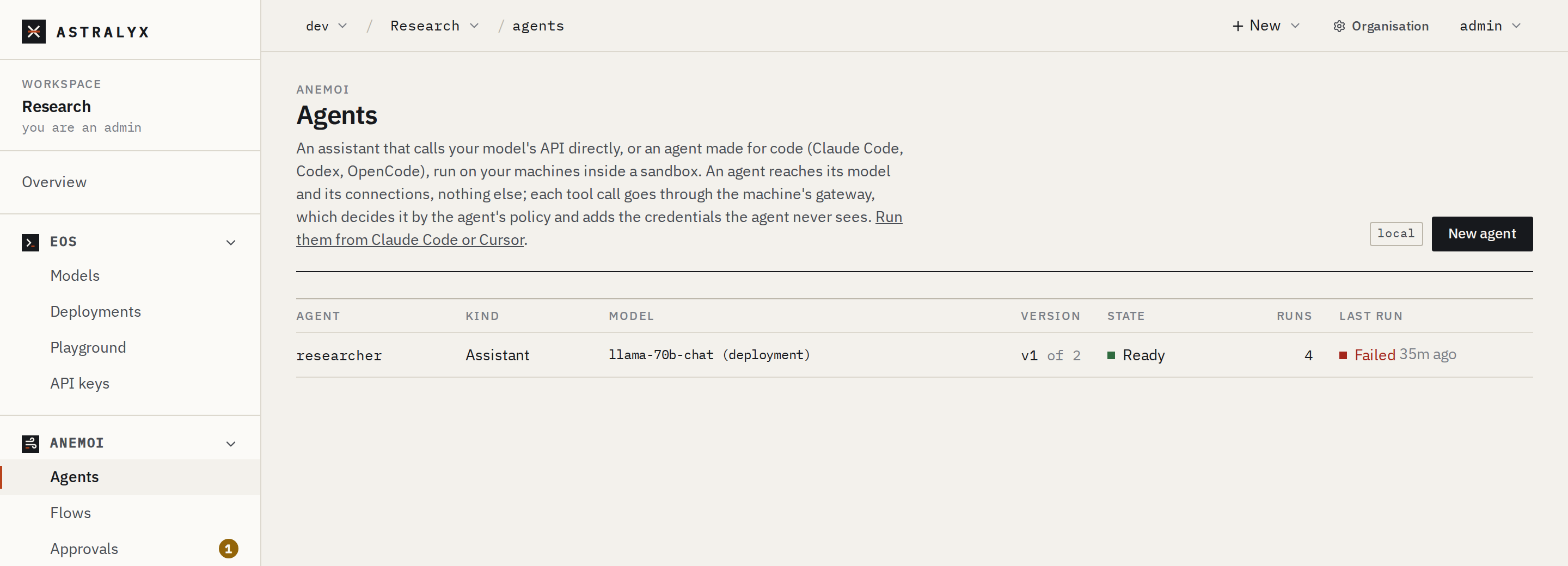
- Open Anemoi → Agents and press New agent.
- Name: lowercase letters, digits and
-, at most 40. - Choose Simple (no policy written by hand) or Advanced (write the policies yourself). You can switch at any time: Advanced shows what Simple wrote.
- In Simple:
- Start from a ready agent (Pull request reviewer, Issue triage, Web researcher, Notion Q&A, Email triage, Slack digest, Error triage) or Blank.
- Agent: Assistant (recommended), or Claude Code, Codex, OpenCode for code, or Your own image.
- Model: An Eos deployment, or A provider with its Model name and the Credential with its key (Base URL too for an OpenAI-compatible server).
- Connections: Add connection or Web browsing, each with an access level. Let the model search the web with its provider's search allows the provider's own search tools.
- Rules: tick the guard rails to add (Block destructive tools, No DELETE requests, Only in business hours…).
- Sandbox: Default (recommended), and what it may also
reach (Python packages, npm,
git clonefrom GitHub, Hugging Face, Debian packages, one host). - Instructions, then Limits: Longest run, minutes (60 by default), Stop at, per run (dollars), Tokens per run, When reached.
- Press Create the agent. Its page opens,
Ready, version 1.
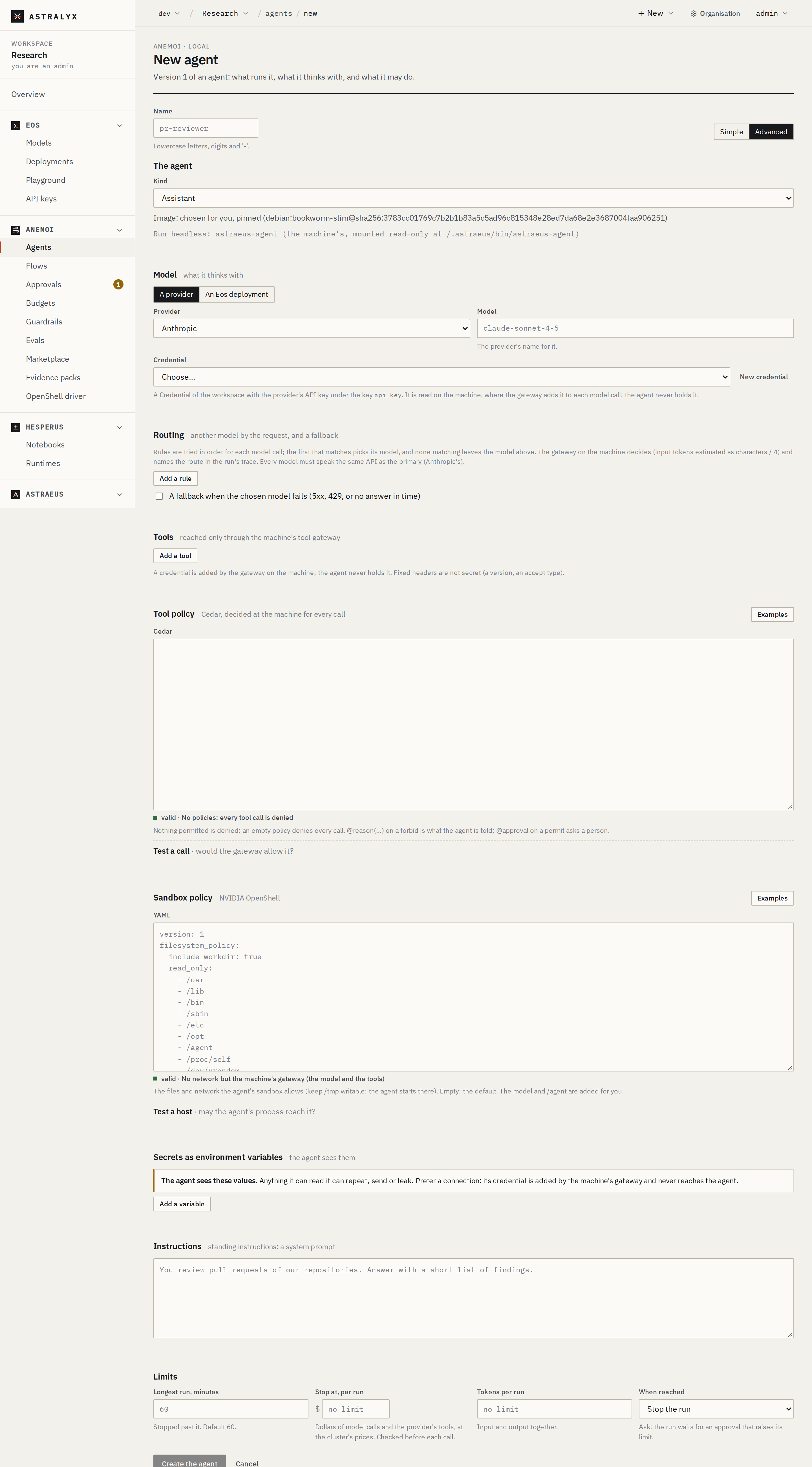
Advanced has the same model and limits, plus: Kind and Image; Routing (Add a rule, A fallback when the chosen model fails); Tools (Add a tool: name, MCP, HTTP or web, URL, credential, header, fixed headers); Tool policy in Cedar with Examples and Test a call; Sandbox policy in YAML with Examples and Test a host; Secrets as environment variables.
$ curl -sS -X POST "$WS/agents" -H "Authorization: Bearer $ASTRA_TOKEN" \
    -H "Content-Type: application/json" -d @agent.json
The body is {"metadata": {"name", "labels"?}, "spec"}; see
Agent specification. The answer is
201 with the agent, its current version's specification and state.
The cluster normalises what you send (an image chosen when you name
none, token as a tool credential's key when you name none) and
refuses an invalid specification with 400 INVALID_AGENT, naming the
field.
To check policies before writing them:
$ curl -sS -X POST "$WS/agent-policy-checks" -H "Authorization: Bearer $ASTRA_TOKEN" \
    -H "Content-Type: application/json" \
    -d '{"tools": "permit (principal, action == Action::\"http\", resource) when { resource.method == \"GET\" };"}'
The answer gives each policy's verdict (valid, its warnings, or the error). See Write tool policies.
Change an agent: a new version#
Versions never change. A change writes version n+1, and makes it current unless you say otherwise. Runs already made keep their version.
- On the agent's page press New version. The form opens with the current version's specification.
- Change what you need and save. If the agent has a required gate, the new version is written without becoming current: promote it on the Quality tab.
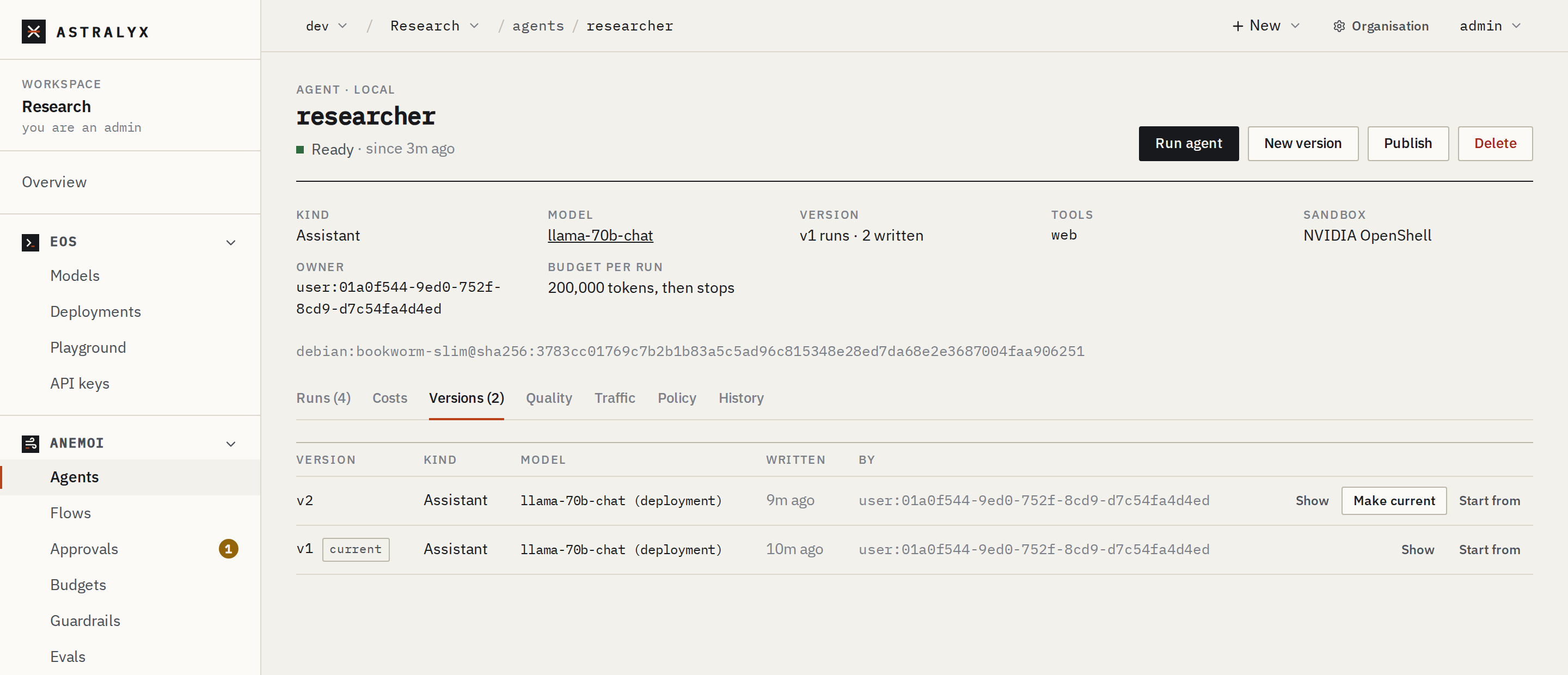
Versions lists every version with who wrote it and when; Show displays one, Make current points the agent at it, Start from opens a new version from it.
PUT takes the whole specification and current (default
true):
$ curl -sS -X PUT "$WS/agents/researcher" -H "Authorization: Bearer $ASTRA_TOKEN" \
    -H "Content-Type: application/json" -d '{"spec": { … }, "current": false}'
$ curl -sS "$WS/agents/researcher/versions" -H "Authorization: Bearer $ASTRA_TOKEN" | jq '.items[] | {version, created_by, created_at}'
$ curl -sS "$WS/agents/researcher/versions/2" -H "Authorization: Bearer $ASTRA_TOKEN"
With a required gate, writing a version as current is refused:
Choose the version that runs#
Versions → Make current, or, through the gate, Quality → Promote. To give a new version only a share of runs first, use the Traffic tab (see Run evaluations and promote).
$ curl -sS -X PUT "$WS/agents/researcher/current" -H "Authorization: Bearer $ASTRA_TOKEN" \
    -H "Content-Type: application/json" -d '{"version": 1}'
Making a version current ends a traffic split and keeps the one before
as previous (the target of a rollback). With a required gate, a
version that has not passed is refused with 409 EVAL_GATE_FAILED.
Delete an agent#
Your own image#
The kind Your own image (image) runs an agent you packaged: give
image, and optionally command and args. Your program reads its task
from /agent/input, reaches its model at $ASTRAEUS_TOOL_GATEWAY/model
with the run's token as its key, its MCP tools as listed in
/agent/mcp.json and its HTTP tools at $ASTRAEUS_TOOL_GATEWAY/http/<tool>/…,
and prints its answer. Any kind can also run in an image of your own. The
full contract is in Inside an agent run.
Troubleshooting#
| Symptom | Cause | Fix |
|---|---|---|
400 INVALID_AGENT spec.model.credential: a credential with the provider's API key (key api_key) |
A provider needs a credential. | Name a credential whose key api_key holds the key. |
spec.model.provider: Claude Code speaks to anthropic |
Claude Code speaks only Anthropic's API (Codex: never). | Choose a provider the kind speaks, or an Eos deployment. |
deployment chat has no endpoint yet; try again when it is set up (on a run) |
The deployment is not ready. | Wait until it is Ready. |
spec.policy.tools: … |
The Cedar text does not parse. | Fix the line the message names; see Cedar reference. |
409 AGENT_CONFLICT |
Someone changed the agent at the same time. | Try again. |