Connect an OpenShell gateway#
If your team already uses NVIDIA OpenShell's CLI and gateway (0.1.2), you
can keep them and have its sandboxes run on your Astraeus machines. A small
compute driver beside the gateway turns each openshell sandbox create
into a run in an agent sandbox of one workspace — scheduled on its
machines, within its quotas and outbound rules, with activity and a receipt
like any agent run.
Before you begin#
- The workspace's editor or admin role: sandboxes are made as the token's owner.
- A machine of the workspace that can run agents (see Agents, runs and sandboxes).
- On the gateway's machine, the Astralyx machine package:
astraeus-openshell-drivercomes with it, in/usr/bin.
1. Make a token#
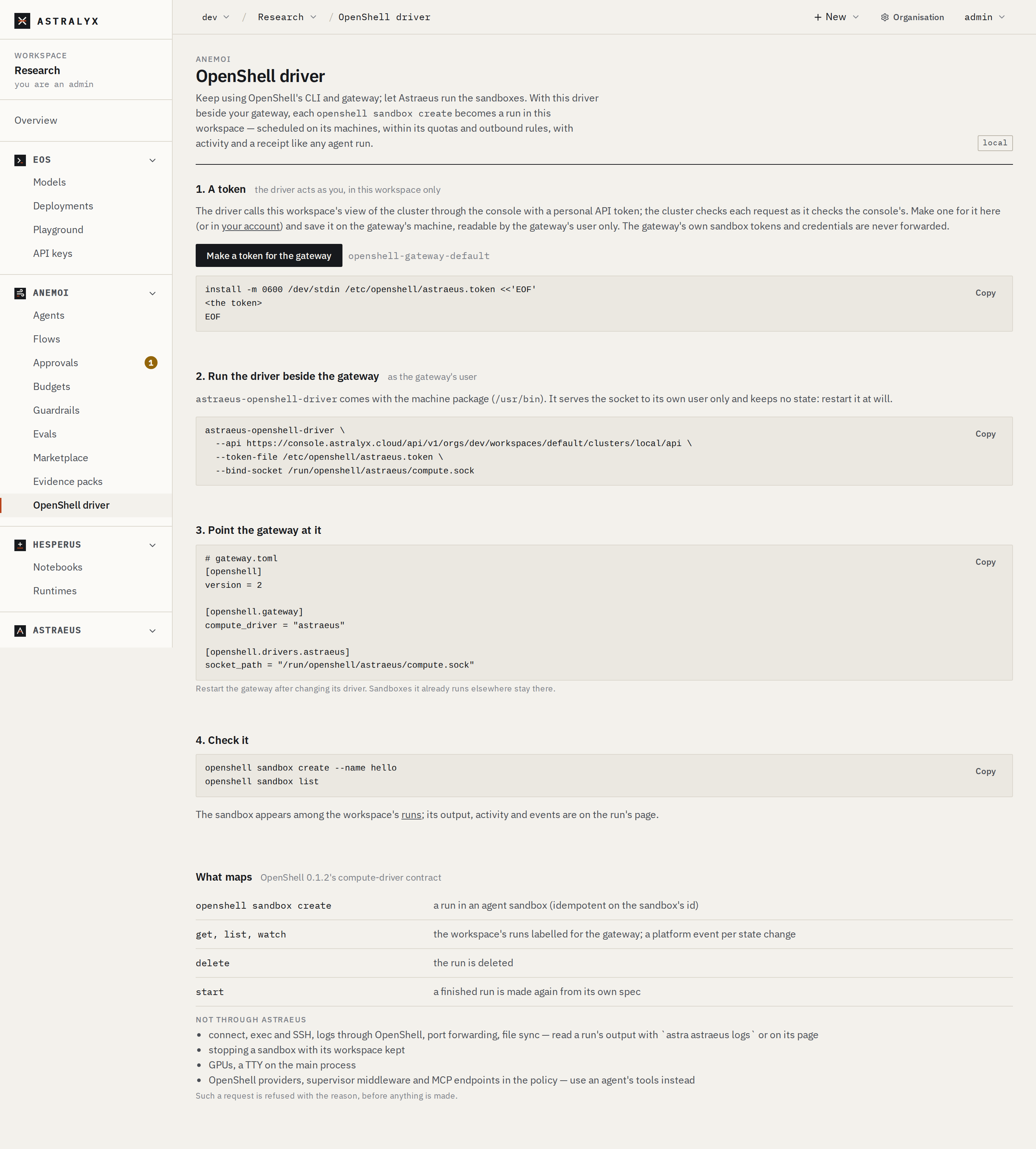
Open Anemoi → OpenShell driver, choose the cluster, and press
Make a token for the gateway: a personal API token named
openshell-gateway-<workspace>, valid a year, shown once. Revoke it in
your account to cut the gateway off.
Save it on the gateway's machine, readable by the gateway's user only:
2. Run the driver beside the gateway#
As the gateway's user:
$ astraeus-openshell-driver \
    --api https://console.astralyx.cloud/api/v1/orgs/acme/workspaces/research/clusters/main/api \
    --token-file /etc/openshell/astraeus.token \
    --bind-socket /run/openshell/astraeus/compute.sock
The console's page prints this command with your workspace's address. The driver serves the socket to its own user only, keeps no state, and reads the token file at each call, so the token can be rotated. Restart it at will.
| Flag | Environment | Default | Description |
|---|---|---|---|
--api |
ASTRAEUS_API |
required | The workspace's address on its cluster, as above. |
--token-file |
ASTRAEUS_TOKEN_FILE |
required | The file holding the token. |
--bind-socket |
ASTRAEUS_OPENSHELL_SOCKET |
/run/openshell/astraeus/compute.sock |
The Unix socket the gateway connects to. |
--default-image |
OpenShell's default sandbox image | The image when a sandbox names none. | |
--default-cpus |
1 |
Cores when a sandbox names none. At least 1. | |
--default-memory |
2Gi |
Memory when a sandbox names none (512Mi, 4Gi). |
|
--resource-admission-policy |
ASTRAEUS_OPENSHELL_ADMISSION |
OpenShell's default | The gateway's resource-admission policy (v1:<json>), if its configuration changes it. |
--poll-seconds |
2 |
How often a watch lists the runs. |
3. Point the gateway at it#
[openshell]
version = 2

[openshell.gateway]
compute_driver = "astraeus"

[openshell.drivers.astraeus]
socket_path = "/run/openshell/astraeus/compute.sock"
Restart the gateway. Sandboxes it already runs elsewhere stay there.
4. Check it#
The sandbox appears among the workspace's Runs; its output, activity
and events are on the run's page. Read its output with
astra astraeus logs <run>.
What maps, and what does not#
| OpenShell | On Astraeus |
|---|---|
openshell sandbox create |
A run in an agent sandbox (made once per sandbox id). |
| get, list, watch | The workspace's runs labelled for the gateway. |
| delete | The run is deleted. |
| start | A finished run is made again from its own specification. |
Not available through Astraeus — such a request is refused with the reason, before anything is made:
- connect, exec and SSH, logs through OpenShell, port forwarding, file
sync (read a run's output with
astra astraeus logsor on its page); - stopping a sandbox with its workspace kept;
- GPUs, a TTY on the main process;
- OpenShell providers, supervisor middleware and MCP endpoints in the policy — use an agent's tools instead.
The gateway's own sandbox tokens and credentials are never forwarded: the machine gives each run its own identity.