Write tool policies and guardrails#
This page covers writing an agent's tool policy (Cedar), its sandbox policy (OpenShell), checking both before anything runs, and the workspace's guardrails — rules every agent follows. The concepts are in Policies and guardrails; every name a rule can use is in the Cedar reference.
Before you begin#
- An agent's policies: the editor or admin role. Guardrails: the admin role (editors and viewers read them).
- For the API:
ASTRA_TOKENandWSas in the REST API page. The CLI has no policy commands.
Write a tool policy#
Start from the examples, then narrow them. Three patterns cover most agents:
// Reads of the github tool go ahead.
@id("github-reads")
permit (principal, action == Action::"http", resource in Server::"github")
when { ["GET", "HEAD"].contains(resource.method) };

// Comments on acme's issues and pull requests wait for an admin, up to an hour.
@id("github-comments")
@approval("role:admin")
@approval_wait("1h")
permit (principal, action == Action::"http", resource in Server::"github")
when { resource.method == "POST" && resource.path like "/repos/acme/*/issues/*/comments" };

// Whatever else permits it: no merging.
@id("no-merges")
@reason("merging is for people")
forbid (principal, action == Action::"http", resource)
when { resource.method == "PUT" && resource.path like "/repos/*/pulls/*/merge" };
- Open the agent's New version (or New agent) in Advanced.
- In Tool policy, press Examples and Replace the text with one or Add it to what is there: read-only on a server, no HTTP at all, block destructive tools, writes need approval, only some paths, only files under a folder, only in business hours, turn one tool off, and the connections' levels. An example that needs a value (the tool's name) asks for it.
- Edit the rules. The editor checks as you type: valid with how many policies, an error with its line, or warnings for names no request has.
- Save the version.
In Simple mode, the Rules checkboxes add the same examples.
The policy is spec.policy.tools of a version:
$ jq -n --rawfile p policy.cedar --slurpfile s spec.json '{spec: ($s[0] | .policy.tools = $p)}' \
    | curl -sS -X PUT "$WS/agents/reviewer" -H "Authorization: Bearer $ASTRA_TOKEN" \
        -H "Content-Type: application/json" -d @-
At most 64 KiB. A policy that does not parse is refused with 400
INVALID_AGENT (spec.policy.tools: …).
Rules worth knowing#
- An empty policy, or one with no matching
permit, denies the call. - A
forbidwins over everypermit. Give it@reason("…"): that sentence is what the agent is told. @id("…")names a rule in traces, receipts and approvals; without it, a rule ispolicy0,policy1…- A rule that reads an argument the call does not have does not apply.
For a
forbid, guard withhas:context.args has path && …, or it silently lets the call through. tools/listshows a tool when a call with no arguments in phaselistwould be allowed: a rule on arguments should say what it means for the list (context.phase == "list" || context.args.path like "/work/*").- Policy templates (
?principal,?resource) are not supported.
Test a call before you run#
Under the policy, Test a call: pick the tool, then an MCP tool name and arguments, or an HTTP method and path. The answer is the decision — allowed, denied, needs approval — the rule that decided, and the reason. Test a host does the same for the sandbox policy.
$ curl -sS -X POST "$WS/agent-policy-checks" -H "Authorization: Bearer $ASTRA_TOKEN" \
    -H "Content-Type: application/json" -d @check.json | jq .tests
{
  "tools": "<the policy above>",
  "servers": [{"name": "github", "kind": "http", "url": "https://api.github.com"}],
  "tests": [
    {"server": "github", "method": "GET", "url": "/repos/acme/api/pulls/7"},
    {"server": "github", "method": "POST", "url": "/repos/acme/api/issues/7/comments"},
    {"server": "github", "method": "PUT", "url": "/repos/acme/api/pulls/7/merge"},
    {"server": "github", "method": "DELETE", "url": "/repos/acme/api"}
  ],
  "sandbox_tests": [{"host": "pypi.org"}]
}
[
  {"decision": "allow", "policies": ["github-reads"], "reason": "permitted by github-reads",
   "target": "github GET api.github.com/repos/acme/api/pulls/7"},
  {"decision": "requires_approval", "policies": ["github-comments"],
   "reason": "needs a person's approval (github-comments)",
   "target": "github POST api.github.com/repos/acme/api/issues/7/comments"},
  {"decision": "deny", "policies": ["no-merges"], "reason": "merging is for people (no-merges)",
   "target": "github PUT api.github.com/repos/acme/api/pulls/7/merge"},
  {"decision": "deny", "policies": [], "reason": "no policy permits it",
   "target": "github DELETE api.github.com/repos/acme/api"}
]
A test may also give an MCP tool and its args, the phase
(call or list) and the act (who started the run: user:… by
default). At most 50 tests of each kind. Nothing is stored. This
decides by the agent's policy only: the workspace's guardrails are
added when a run is made.
Write a sandbox policy#
In Simple → Sandbox, choose Default and tick what it may also reach. In Advanced → Sandbox policy, Examples offers Strict (the default), Strict, enforced, Read-only workspace, No network at all, and the download sources (Python packages (PyPI), Node packages (npm), Clone from GitHub, Download from Hugging Face, Debian packages (apt), One host and port).
spec.policy.sandbox, OpenShell's YAML; empty means the default.
version: 1
filesystem_policy:
  include_workdir: true
  read_only: [/usr, /lib, /bin, /sbin, /etc, /opt, /agent, /proc/self, /dev/urandom]
  read_write: [/sandbox, /tmp, /dev/null]
landlock:
  compatibility: best_effort
network_policies:
  pypi:
    name: Python packages
    endpoints:
      - {host: pypi.org, port: 443}
      - {host: files.pythonhosted.org, port: 443}
    binaries:
      - {path: "/usr/bin/python3*"}
      - {path: "/usr/local/bin/python3*"}
POST $WS/agent-sandbox-compositions with {"add": ["pypi",
"github-clone"]} puts one together from the examples (on the default,
or on the YAML you give as base; params for an example that needs a
value) and answers {"sandbox": "<yaml>"}.
Keep /tmp writable: the agent starts there. The hosts a sandbox policy
names are also the only hosts the run may reach.
Set the workspace's guardrails#
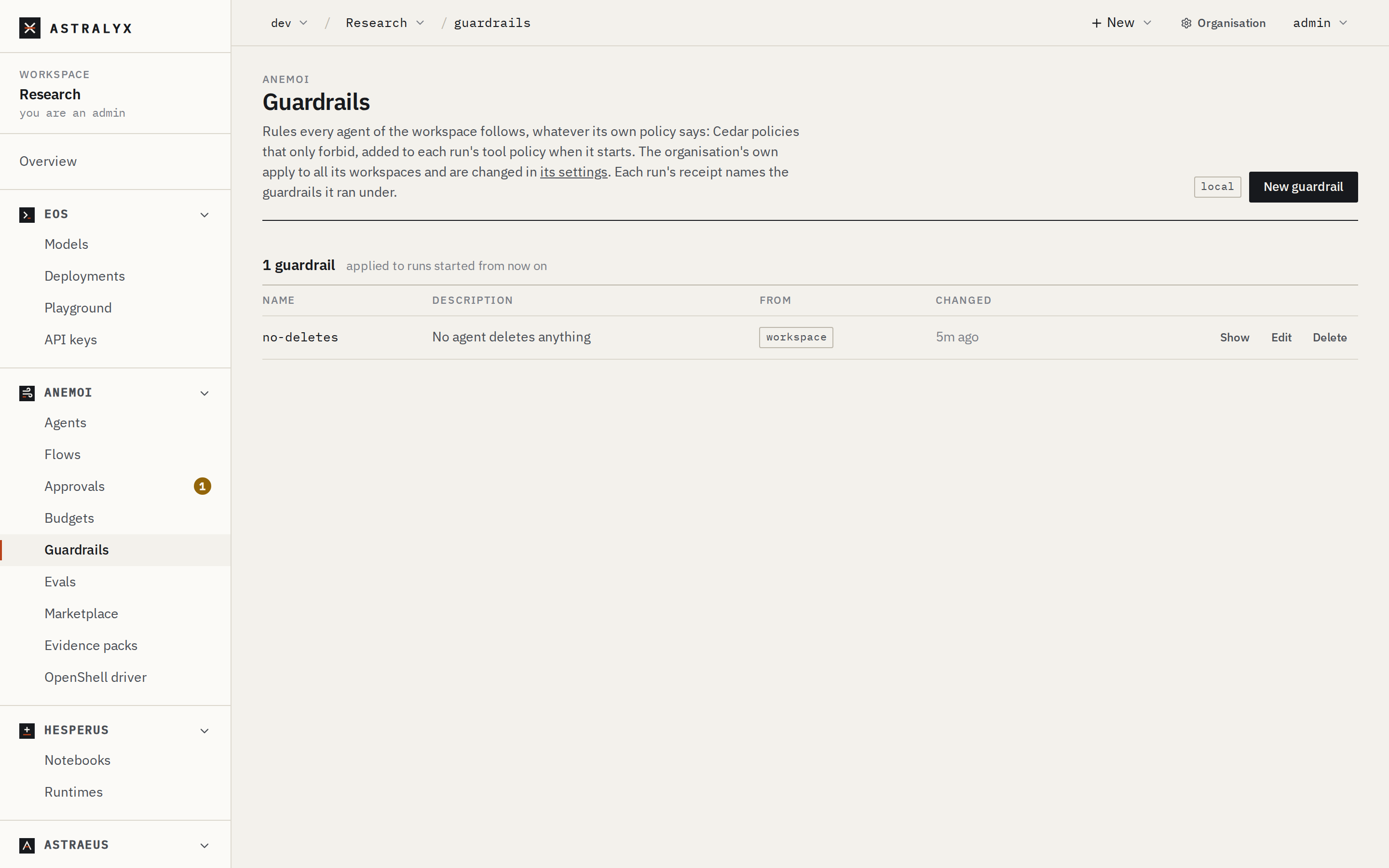
- Open Anemoi → Guardrails and press New guardrail.
- Name, Description, and the Cedar text —
forbidrules only. Examples offers No merging pull requests, Read-only HTTP, No deleting, No code run by the model's provider, Writes in office hours only. - Press Create. Runs made from now on carry it.
The organisation's guardrails are listed with the tag organisation, read-only.
$ jq -n --rawfile text no-deletes.cedar \
    '{metadata: {name: "no-deletes"}, spec: {description: "No agent deletes anything", text: $text}}' \
  | curl -sS -X POST "$WS/agent-guardrails" -H "Authorization: Bearer $ASTRA_TOKEN" \
      -H "Content-Type: application/json" -d @-
$ curl -sS "$WS/agent-guardrails" -H "Authorization: Bearer $ASTRA_TOKEN" | jq -r '.items[].metadata.name'
no-deletes
PUT $WS/agent-guardrails/{name} with {spec} creates or replaces one;
DELETE removes it; GET $WS/agent-guardrail-presets lists the
examples.
A guardrail must hold at least one forbid and no permit (400
INVALID_GUARDRAIL: a guardrail may only forbid). At most 64 per
workspace, 16 KiB each. Changing or deleting an organisation guardrail
from a workspace is refused with 403 ORG_GUARDRAIL. Organisation
guardrails are written by organisation admins: see
Agent governance.